Drone 3D Mapping Software | Point Clouds and 3D Models
Drone 3D mapping software that turns photos into point clouds and textured 3D models in your browser. From $2.50 per credit; measurement tools on Professional.
Drone 3D Mapping Software | Point Clouds and 3D Models
Drone 3D mapping software that turns photos into point clouds and textured 3D models in your browser. From $2.50 per credit; measurement tools on Professional.
Table Of Content

By Ranjan Suman, Co-Founder & Director
7 min read · Updated
Aeroyantra builds point clouds from drone photos from $0 to start at $2.50 per credit - about $20 for a typical 400-image site, or about $30 with the optional textured 3D model. Measurement and volume tools are on Professional at $69/month.
Drone 3D Mapping: From Photos to a Model You Can Measure
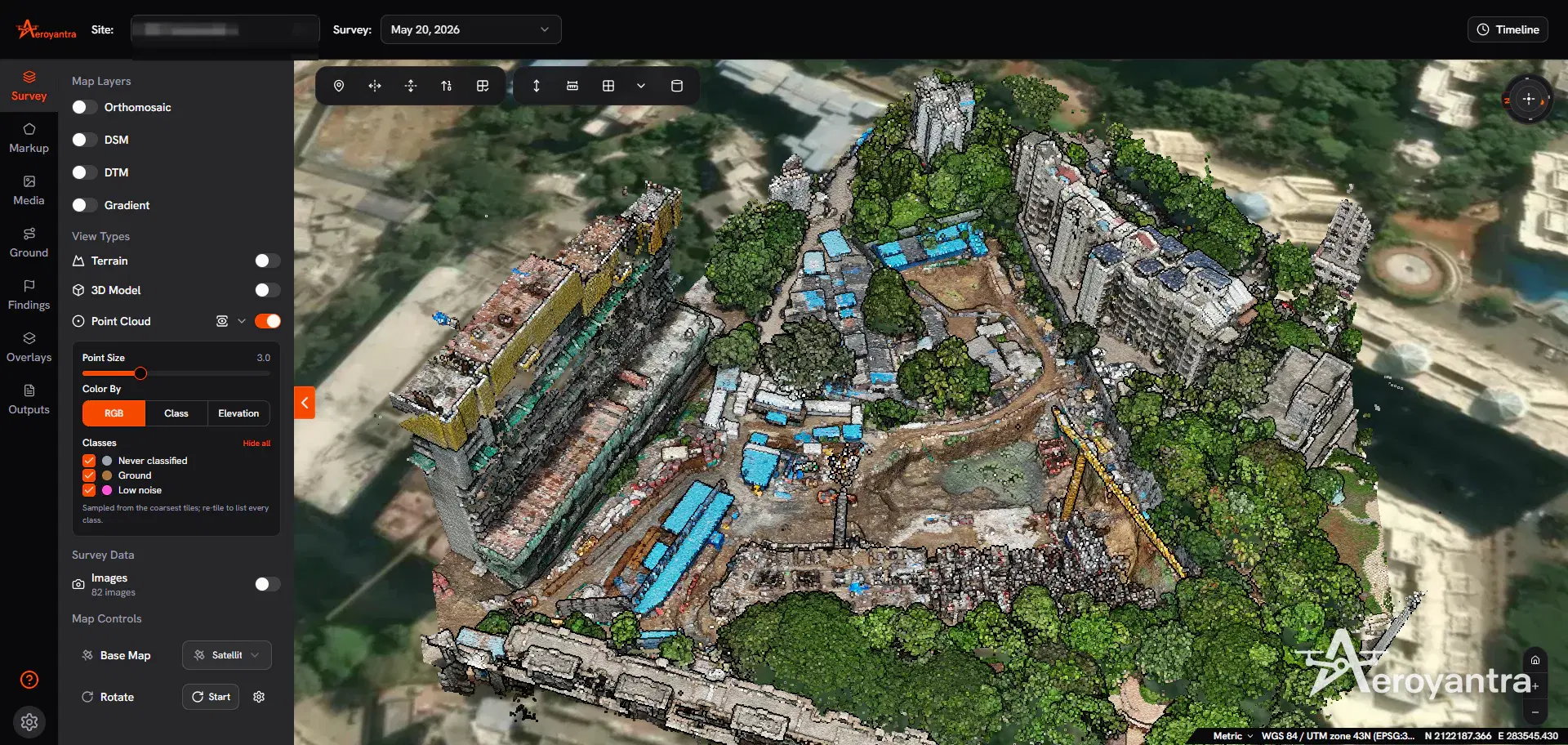
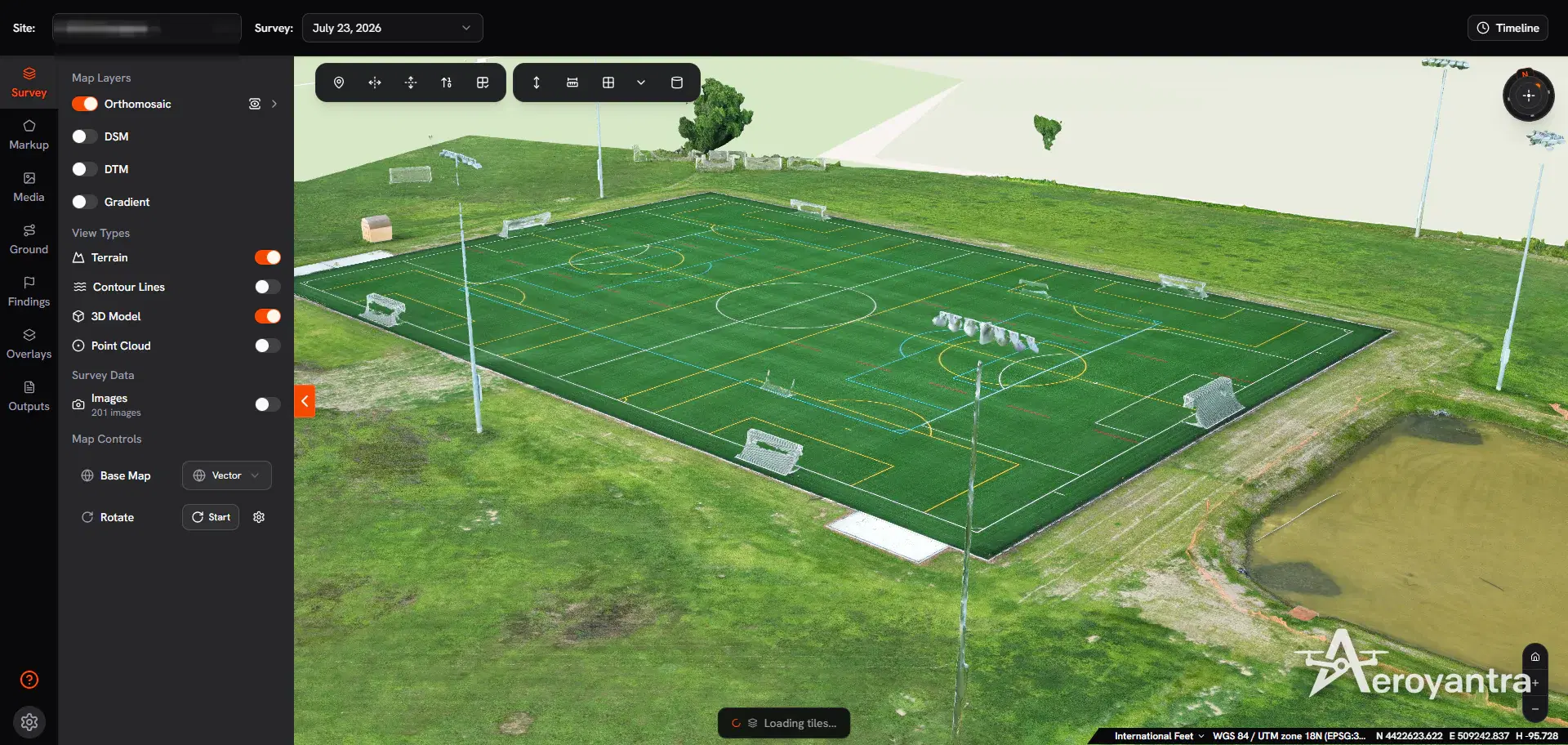
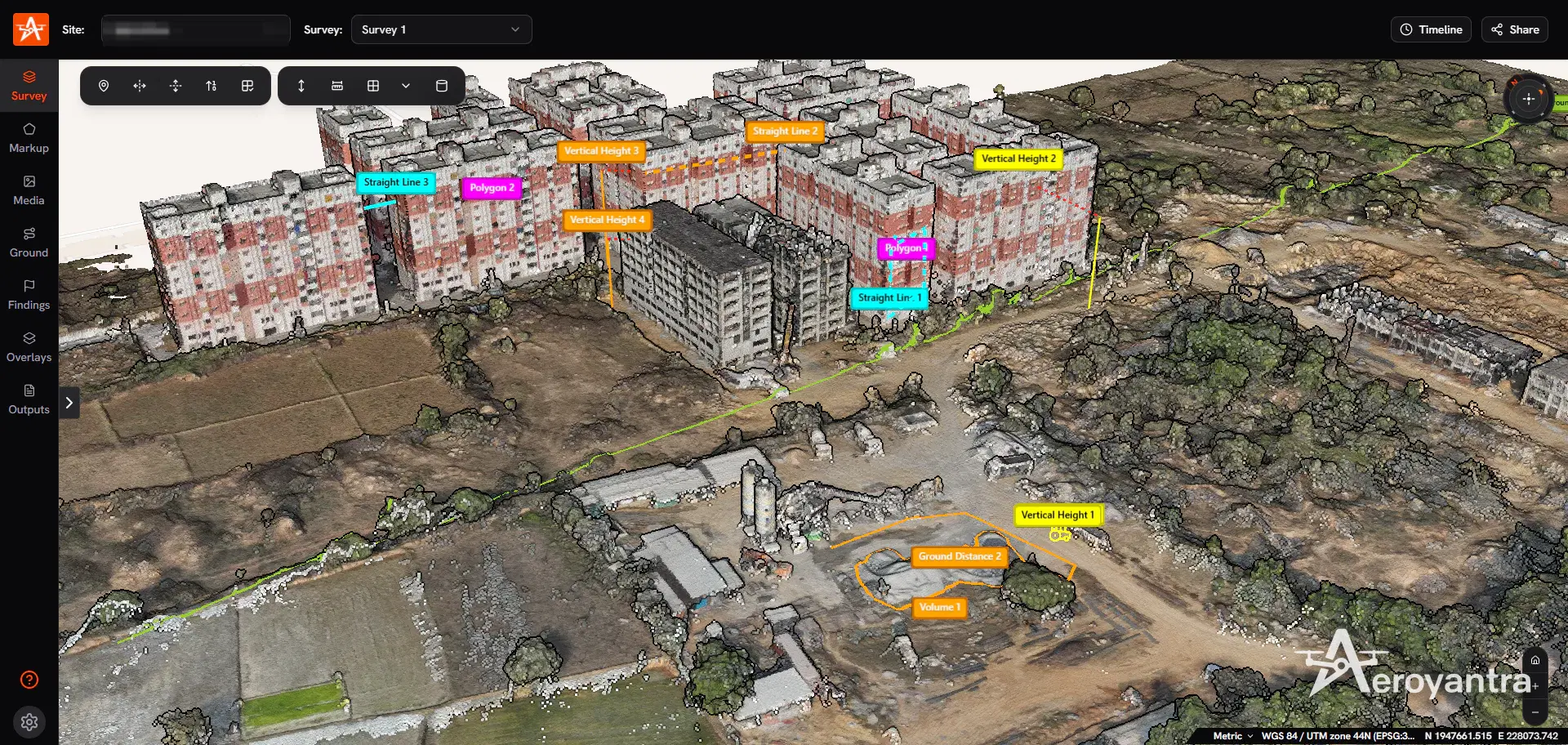
Drone 3D mapping - 3D mapping with drones, or 3D drone mapping - captures a site or structure from many overlapping viewpoints and reconstructs it in three dimensions. The result is a georeferenced point cloud - millions of points, each with a position and a colour - and a textured 3D model built on top of it. Both are measurable: heights, distances, areas and volumes come straight from the geometry.
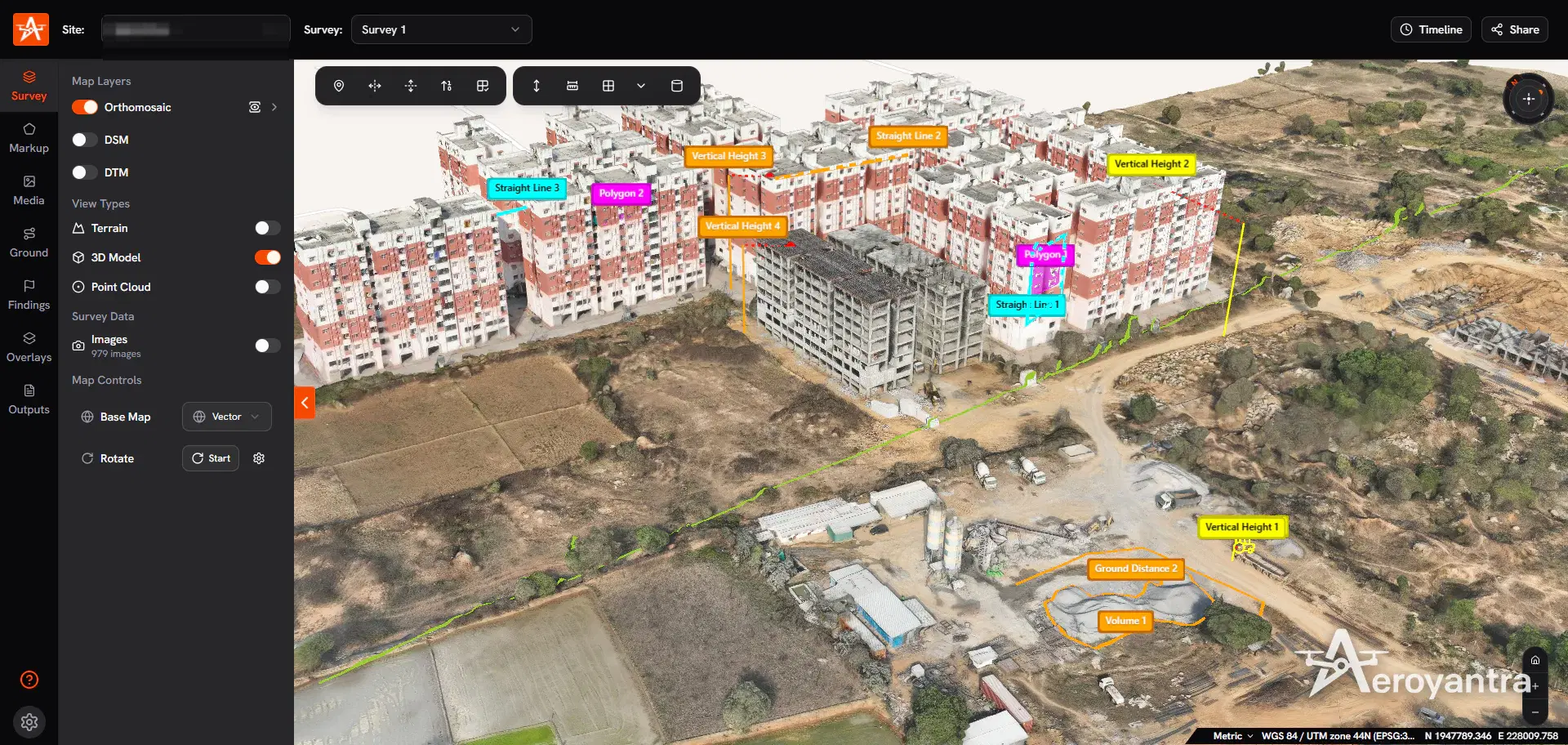
Aeroyantra builds point clouds and 3D models on its own photogrammetry engine in the cloud. Upload the photos from any browser; the site comes back with a point cloud, an orthomosaic and elevation models - plus a textured 3D model if you add it when processing starts - and the measurement and comparison tools (on Professional) are in the same viewer. Anyone you share a link with can orbit the model without installing anything.
How a Drone 3D Model Is Made
- Capture. The drone photographs the site with heavy overlap - typically 70-80% forward and 60-70% side for survey work. Structures and facades also need oblique (angled) passes, because straight-down photos cannot see vertical faces.
- Align. The software finds matching features between photos and solves where every camera was and which way it pointed.
- Densify. Pixel-level matching across the aligned photos produces the dense point cloud.
- Model. The point cloud is meshed into surfaces and textured with the photos; the same reconstruction yields the DSM, DTM and orthomosaic.
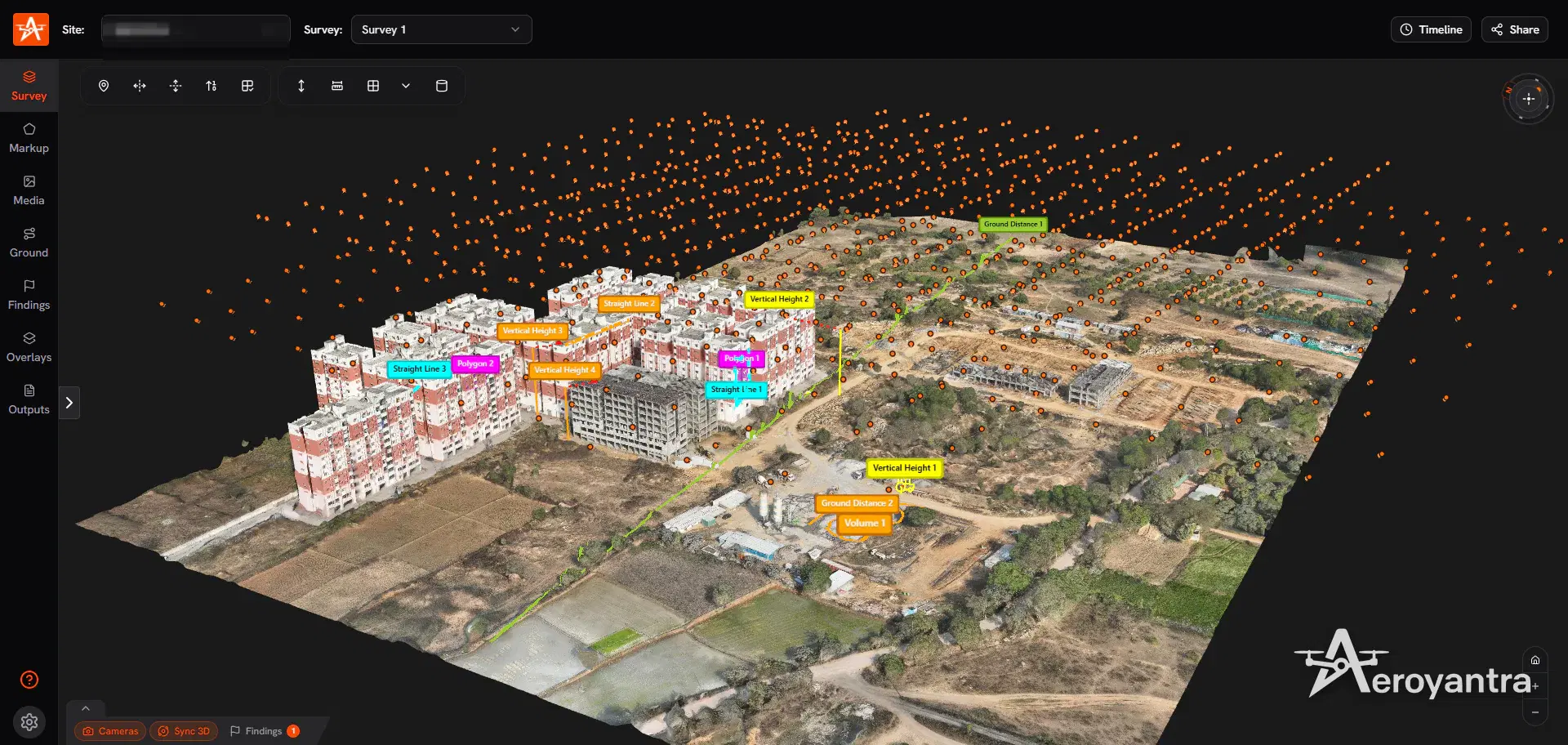
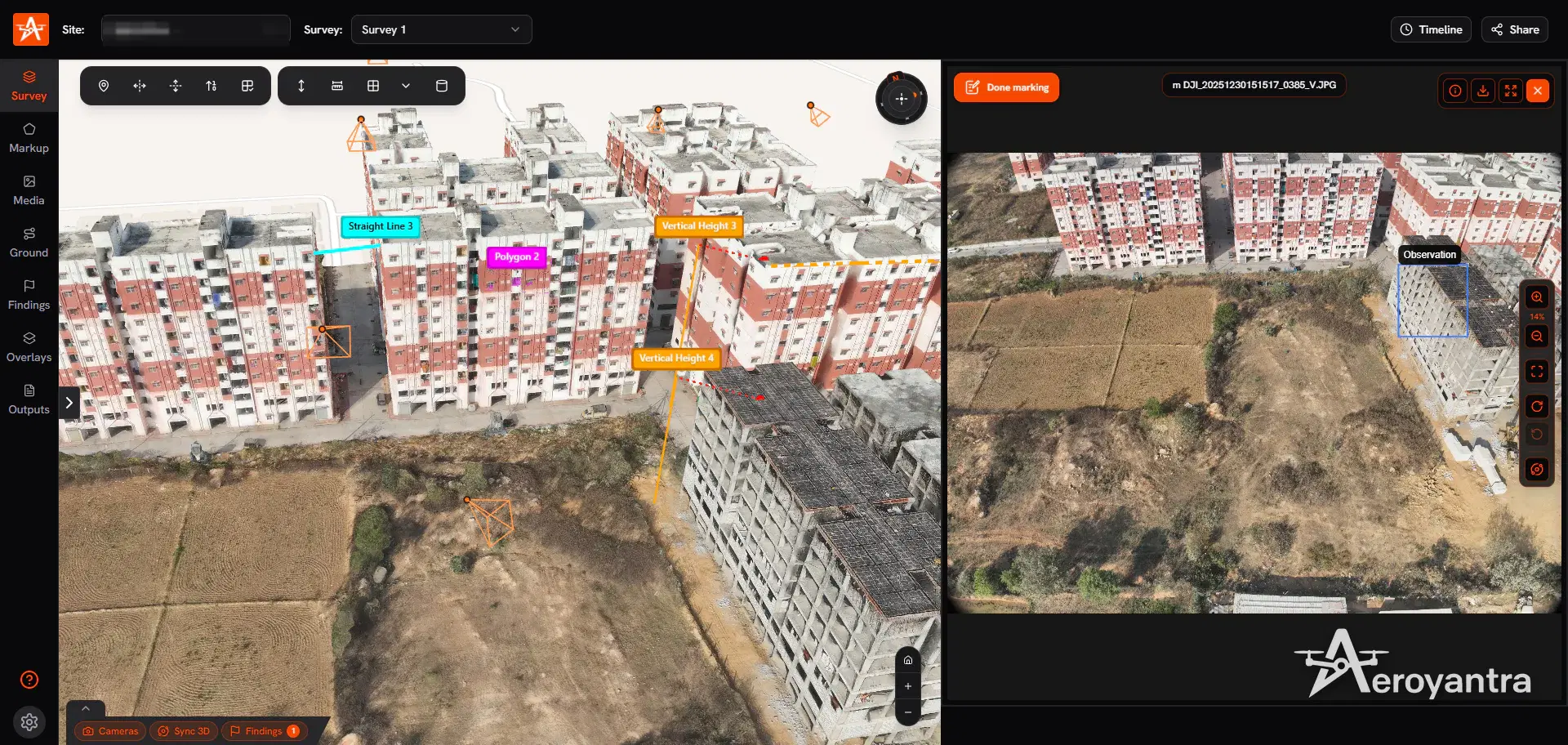
Aeroyantra shows the solved camera positions in 3D, so you can see the coverage and spot gaps. The deeper explanation is in what is photogrammetry.
Point Clouds and 3D Models
| Output | Format | Best for |
|---|---|---|
| Dense point cloud | LAZ | Measurement, CAD modelling, elevation analysis |
| Textured 3D model (optional add-on, 1.5x credits) | OBJ, GLB | Inspection, presentations, import into 3D tools |
| 3D Tiles | 3D Tiles | Streaming large models in web viewers |
| DSM and DTM | GeoTIFF | Elevation, volumes, contours |
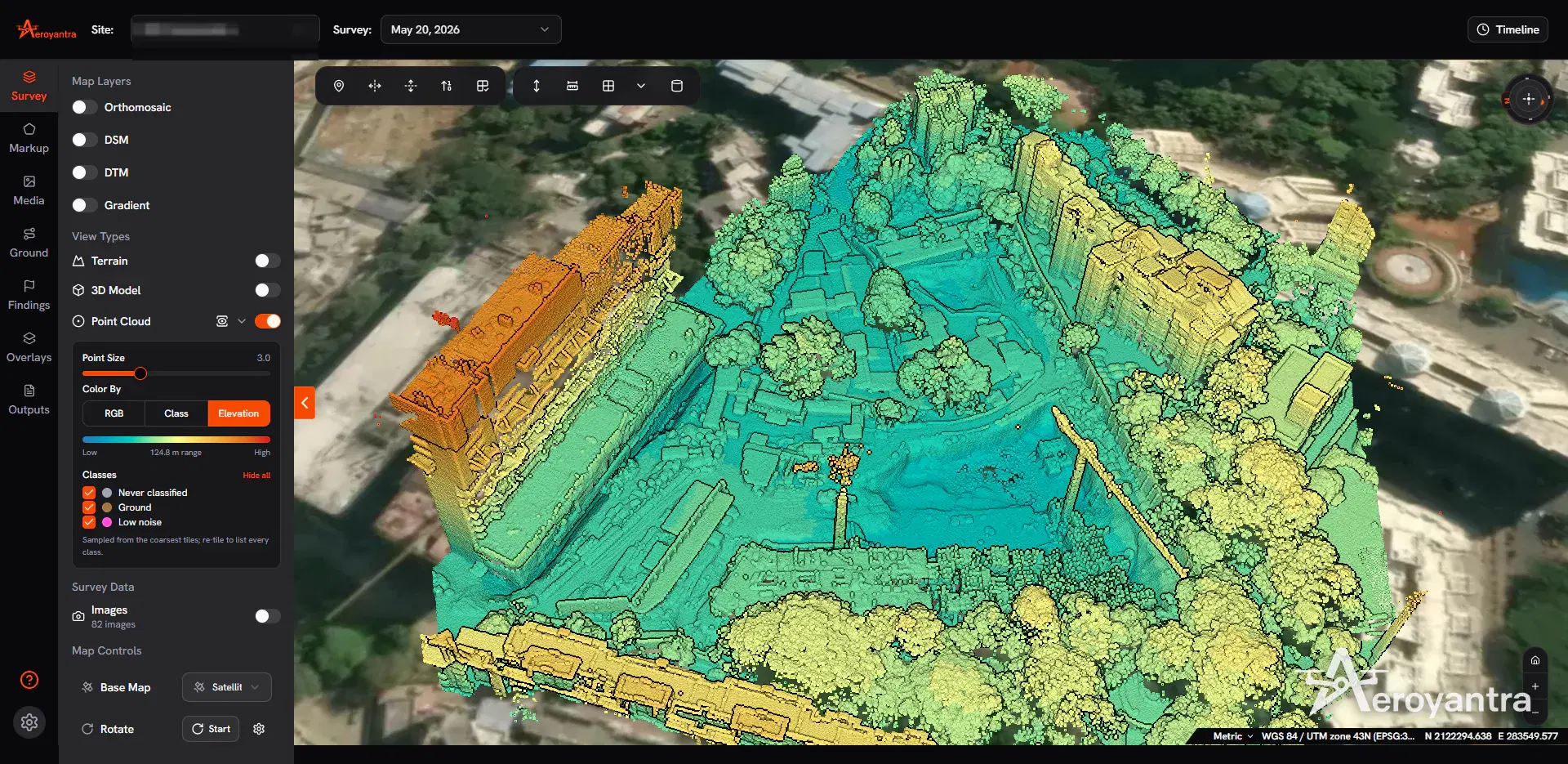
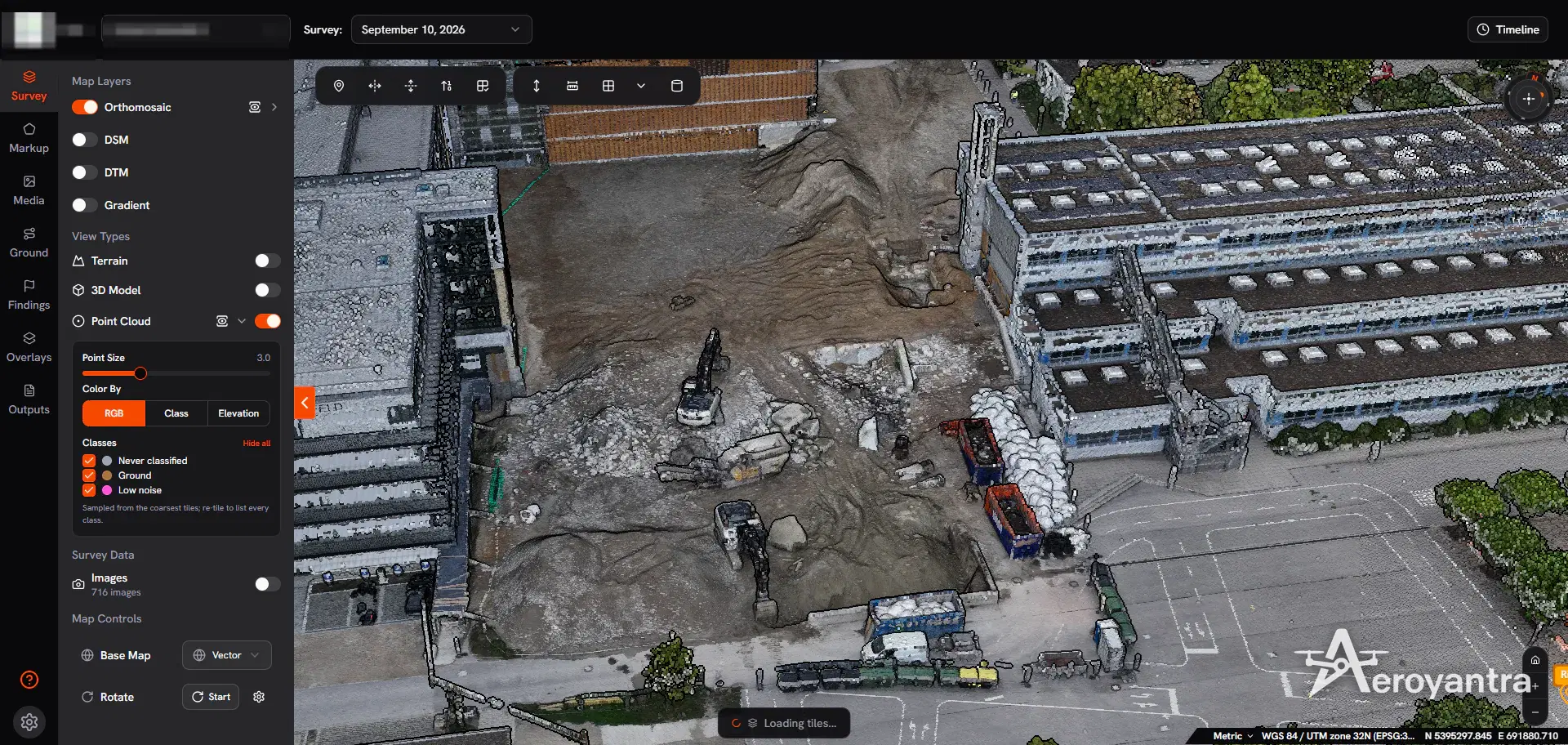
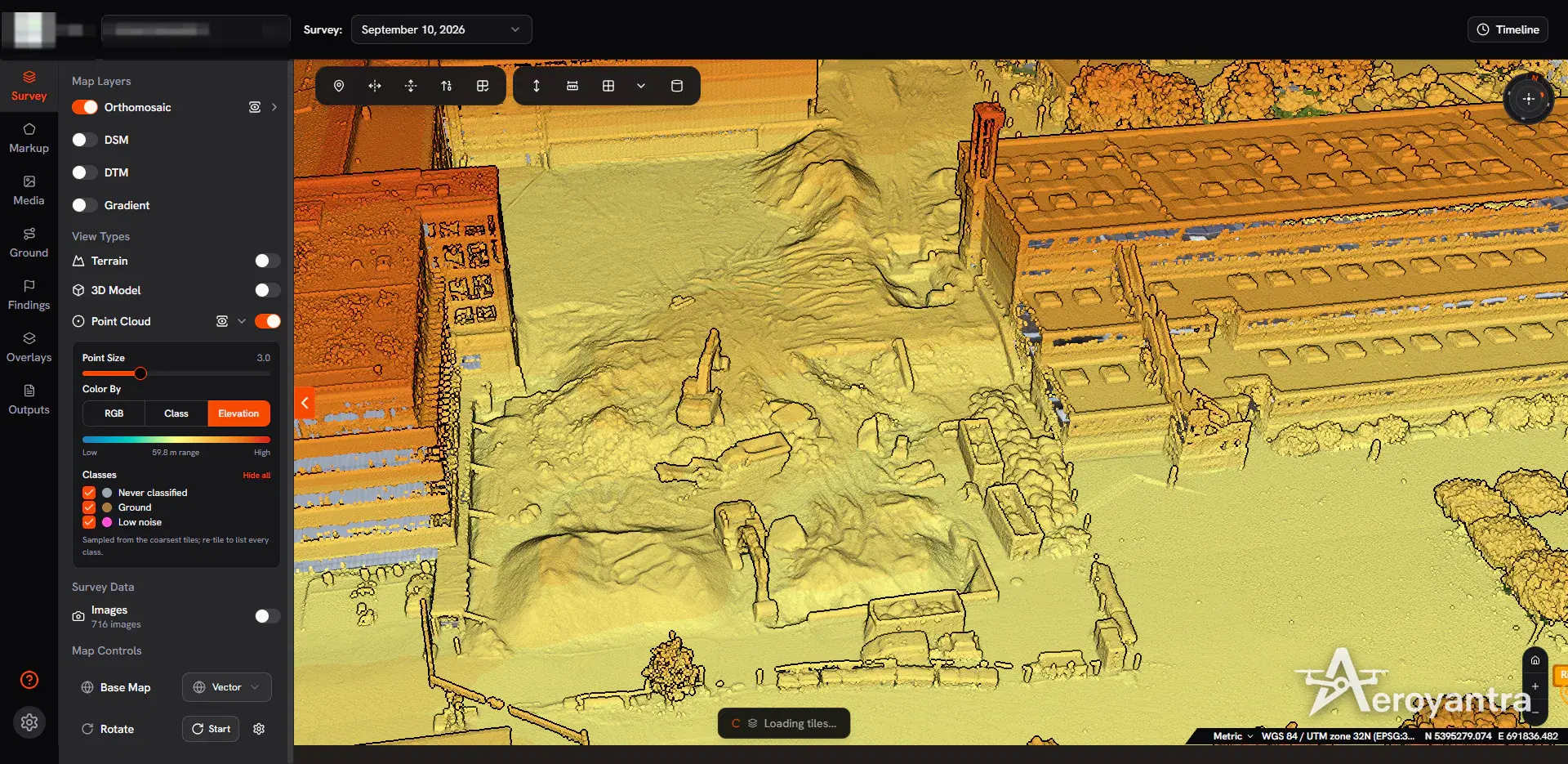
Point clouds can be coloured by RGB or by elevation, and point clouds that carry classification or intensity can be viewed by class or intensity too. Elevation colouring is often the fastest way to read a site: excavations, stockpiles and building heights stand out immediately.
Measure Directly in 3D
Every measurement is taken on the 3D geometry, not on a flat photo. The measurement tools are part of the Professional plan:
- Straight Line and Ground Distance - point-to-point distance, horizontal distance, and distance along the terrain.
- Vertical Height - building heights, wall heights, stockpile heights.
- Polygon and Area - planar and surface area.
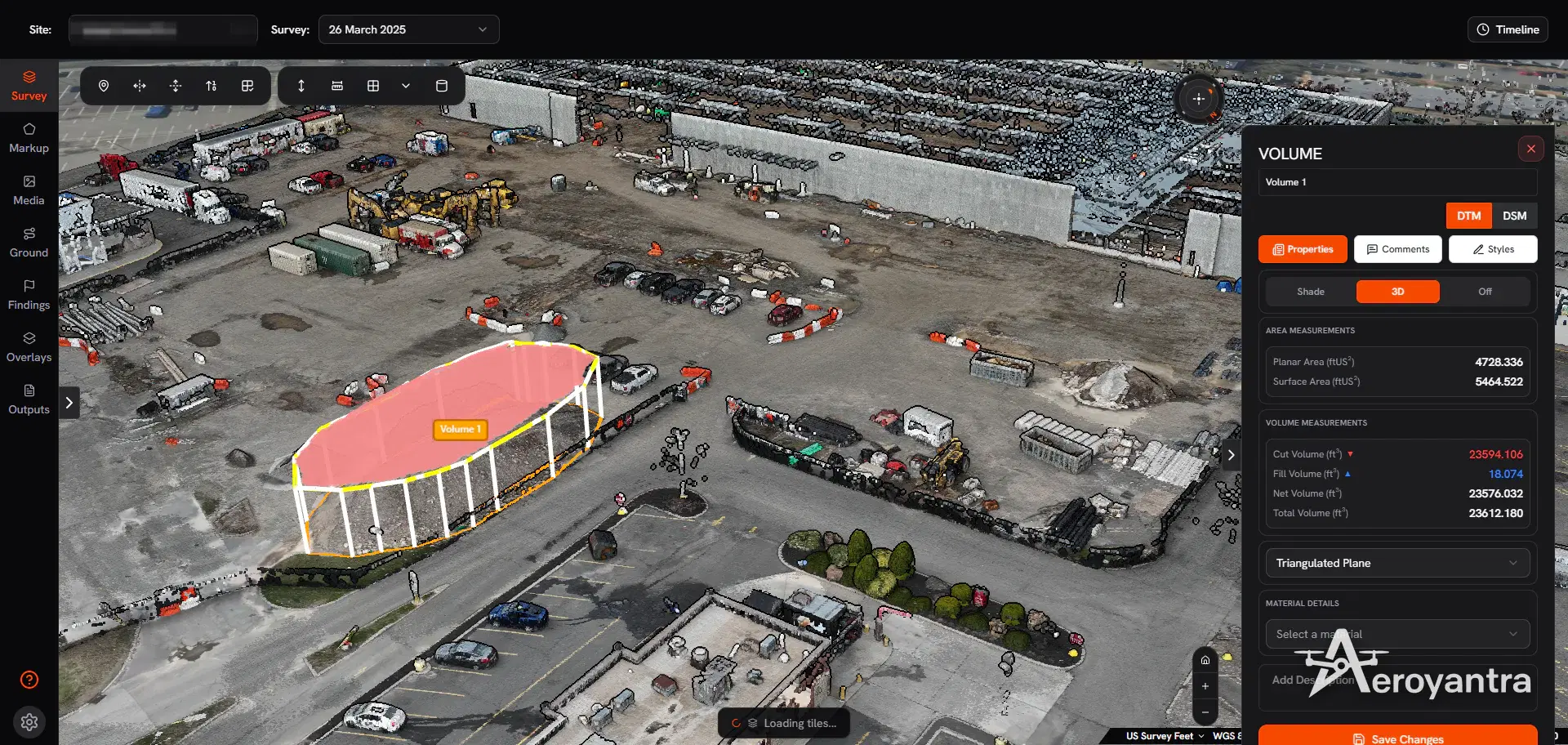
- Volume - cut, fill, net and total volume against a best-fit plane, triangulated plane, custom reference level or an earlier survey, with material mass and cost.
- Structure Point and Counter - coordinates on structures, and counts of repeated items.
Measurements can carry comments and export as KML, DXF, CSV, GeoJSON, SHP, GPKG or PDF.
Check the 3D Model Against the Photos
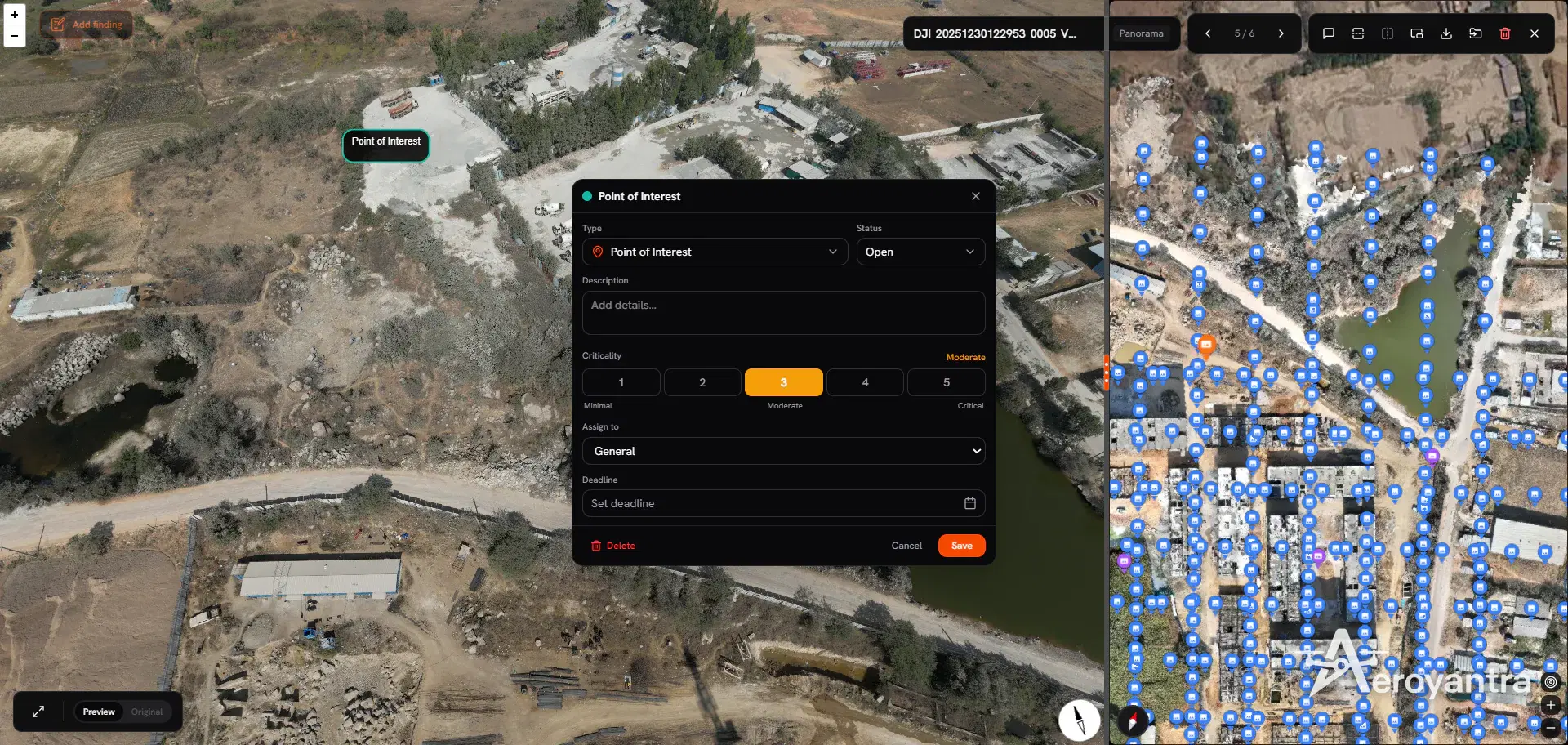
A 3D model is a reconstruction; the source photo is the evidence. Click any point in the 3D view to list the photos that see it, open a photo and sync the 3D view to that camera, and mark up photos with measurements. Findings can be logged with a severity from Low to Critical, an assignee and a deadline.
Volumes and Change Over Time
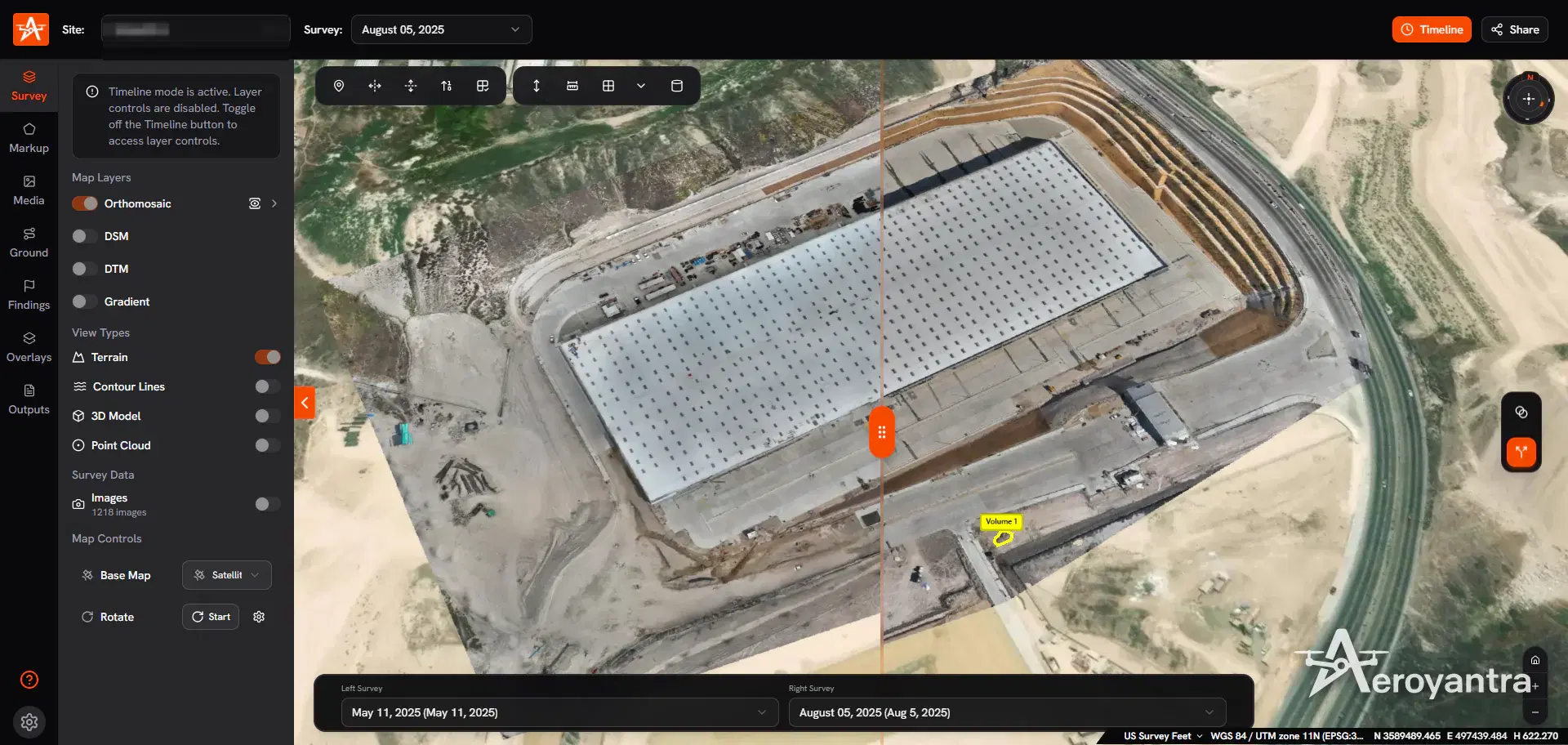
Because the model is a true 3D surface, volumes are measured from the whole surface instead of interpolated between sections. On Professional, repeat surveys of the same site line up on one timeline: compare orthomosaics side by side, and calculate the volume moved between two survey dates. See drone mapping for earthworks and stockpile volumes for the method.
Drones for 3D Mapping and How to Fly Them
- Add oblique passes around structures; nadir-only flights leave vertical faces smeared.
- Keep overlap high - 70-80% forward and 60-70% side as a baseline, more over complex structures.
- Use a mechanical-shutter camera to avoid rolling-shutter distortion.
- Fly consistent light - harsh midday shadow and changing cloud both degrade texture.
- Control the georeferencing with RTK, PPK or ground control when measurements must match real coordinates - see RTK vs PPK vs GCP.
The supported drones and cameras guide lists compatible drones and what each costs to process. For walking-level detail inside buildings and along site paths, pair the drone model with 360 site walkthroughs.
Drone 3D Mapping Pricing
Aeroyantra charges by data processed: $0 to start, $2.50 per credit (one credit is one gigapixel), falling to $1.67 per credit at volume, or $69/month on Professional with 40 credits included and extra credits at $2.25. A typical 400-image site from a 20 MP drone is 8 credits - about $20 - and adding the textured 3D model multiplies that by 1.5, to about $30. The measurement, volume and timeline tools on this page are part of Professional. Desktop 3D tools cost more up front: Agisoft Metashape Professional is $3,499 one-time and Pix4Dmapper about $4,990, each plus a $2,000-$5,000 GPU workstation. See pricing and the best drone mapping software comparison.
Working with laser scans rather than photos? See drone LiDAR mapping. Need a topographic deliverable? See topographic survey software.
Frequently Asked Questions
What is drone 3D mapping?
Drone 3D mapping captures overlapping photos of a site or structure from the air and reconstructs them into a 3D point cloud and a textured 3D model, both georeferenced so they can be measured. Aeroyantra processes drone 3D mapping data in the cloud and outputs point clouds as LAZ and 3D models as OBJ, GLB and 3D Tiles.
What is the best drone for 3D mapping?
A drone with a mechanical-shutter camera and the ability to fly oblique (angled) passes gives the best 3D models. The DJI Mavic 3 Enterprise suits sites and mid-size structures, and the Matrice 350 RTK with a 45 MP Zenmuse P1 suits large or detailed work. Aeroyantra processes images from any drone that writes geotagged photos.
What is the difference between a point cloud and a 3D model?
A point cloud is millions of individually positioned points, each with a colour, and is best for measurement, classification and CAD work. A 3D model (textured mesh) connects those points into surfaces with photo texture, which reads better for inspection and stakeholder review. Aeroyantra produces a point cloud with every photogrammetry survey, and the textured 3D model as an optional add-on (1.5x credits) chosen when processing starts.
Can I measure on a drone 3D model?
Yes, on the Professional plan. In Aeroyantra you can measure straight-line and ground distances, vertical heights, areas, volumes and elevations directly on the point cloud or 3D model, add markup and findings, and export measurements as KML, DXF, CSV, GeoJSON, SHP, GPKG or PDF.
How much does drone 3D mapping software cost?
Aeroyantra charges for data processed rather than seats: $0 to start and $2.50 per credit, where one credit is one gigapixel. A typical 400-image dataset from a 20 MP drone costs about $20, or about $30 with the optional textured 3D model, and the measurement tools are on Professional at $69/month. Desktop alternatives such as Agisoft Metashape Professional cost $3,499 one-time plus a GPU workstation.
Process Your Next Survey on Aeroyantra
Upload drone images from any browser and get orthomosaics, DSM/DTM and point clouds back - with optional 3D models and Professional measurement tools - without a workstation or seat licences.
$0 to start, then $2.50 per credit. Professional is $69/month.
Keep exploring
Related services, platform features and guides
- Platform featureDrone Topographic Survey Software | Contours, DSM & DTMDrone topographic survey software for DSM, DTM, contours at any interval, cross-sections and CAD exports. Contour and profile tools on Professional, $69/month.Read more
- Platform featureDrone LiDAR Mapping Software | View, Classify, MeasureDrone LiDAR mapping in the browser: view point clouds by RGB, intensity, elevation or ASPRS class, overlay vectors and share. Measure on Professional.Read more
- ArticleWhat is Photogrammetry? Drone 3D Mapping ExplainedHow photogrammetry converts drone photos into accurate 3D models. Workflow, accuracy, and applications in surveying, construction, and mining projects.Read more
- Technical guideSupported Drones and Cameras for Drone MappingEvery drone and camera that works with Aeroyantra, from Mavic 3 Enterprise to WingtraOne, with sensor size and processing credits per 1,000 images.Read more
- Platform360 Site WalkthroughsWalk the site with a 360 camera; compare dates; log findingsRead more
- GuideDrone Mapping: How It Works, Outputs, Software and CostWhat drone mapping is, how photos become orthomosaics, DSM/DTM, contours and 3D models, which drones and software to use, and what it costs in 2026.Read more