
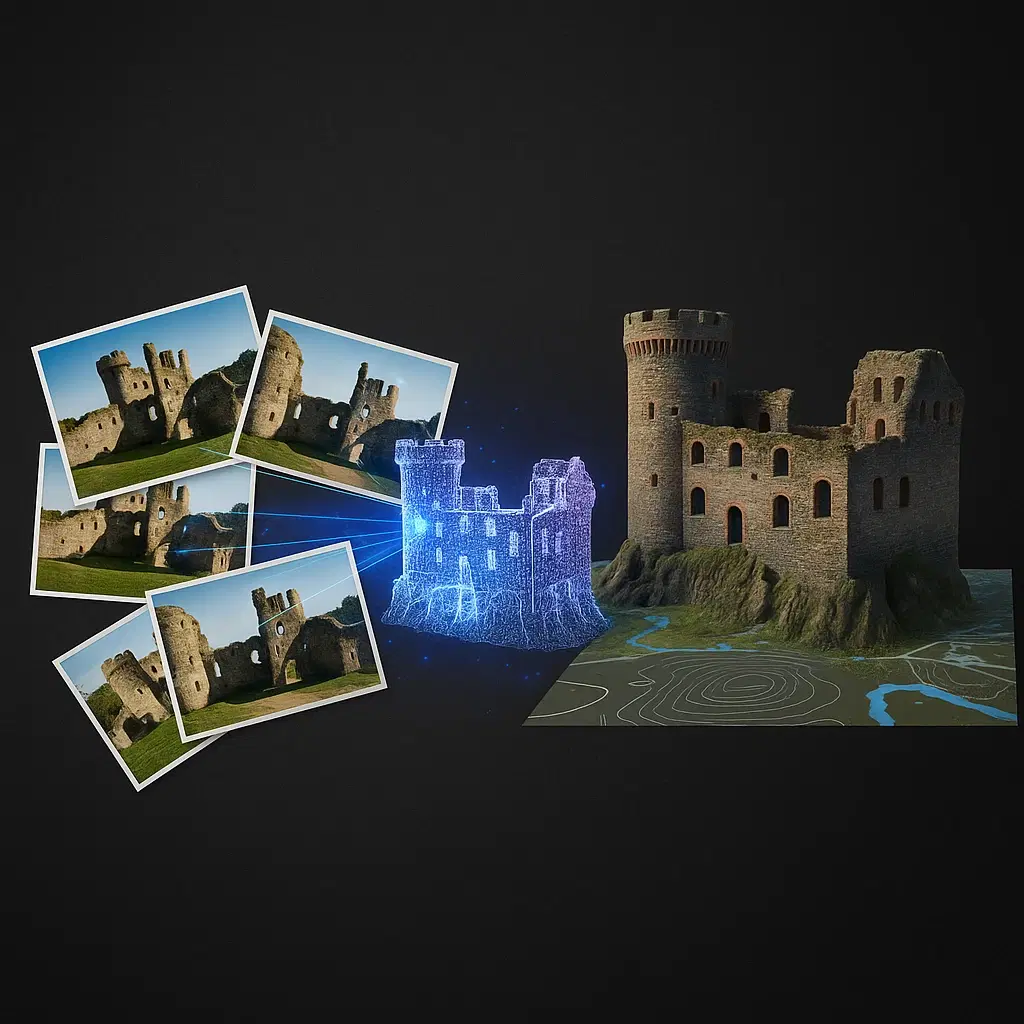
What is Photogrammetry? Drone 3D Mapping Explained
How photogrammetry converts drone photos into accurate 3D models. Workflow, accuracy, and applications in surveying, construction, and mining projects.
What is Photogrammetry? Drone 3D Mapping Explained
How photogrammetry converts drone photos into accurate 3D models. Workflow, accuracy, and applications in surveying, construction, and mining projects.
Table Of Content
- What You'll Learn
- The One-Sentence Definition (and Why It's Not Enough)
- How Photogrammetry Actually Works: The SfM Algorithm
- Aerial Photogrammetry vs. Terrestrial vs. Close-Range
- What Accuracy Can You Actually Expect?
- The Five Outputs and When to Use Each
- Where Photogrammetry Breaks Down
- Industry Applications: Real Use Cases with Real Numbers
- Photogrammetry vs. Traditional Surveying
- Choosing the Right Processing Platform
- Common Mistakes That Ruin Results
- FAQ
- The Bottom Line
What You'll Learn
How photogrammetry actually works - the real algorithm, not a vague description. What accuracy you can realistically expect and why. Where the technology breaks down. Which industries use it and how. And how to choose a processing platform that fits your workflow without overpaying.
The One-Sentence Definition (and Why It's Not Enough)
Photogrammetry is the science of extracting precise 3D measurements and models from overlapping 2D photographs.
Every article on this topic gives you that sentence and then immediately moves on to "how drones are revolutionizing industries." That is not useful.
What actually matters is understanding why overlapping photos produce 3D data, what the algorithm is doing to your images, where the process fails, and what accuracy you can realistically expect on your specific project type.
That is what this guide covers.
The key insight most guides miss: Photogrammetry does not "stitch" photos together like a panorama. It reconstructs a 3D scene by solving a geometry problem across hundreds or thousands of images simultaneously. The difference matters because it explains both what the technology can do and where it fundamentally cannot go.
How Photogrammetry Actually Works: The SfM Algorithm
Modern photogrammetry is built on a technique called Structure from Motion (SfM). Here is what is actually happening when you upload your images to a processing platform.
Stage 1: Feature Detection
The software scans every image for distinctive visual features - corners, edges, unique texture patches - using algorithms like SIFT (Scale-Invariant Feature Transform) or ORB. A single 20-megapixel image can yield thousands of detectable features.
The key requirement: features must be visually unique. A distinctive rock, a painted marking, a corner of a building. This is why photogrammetry struggles on uniform surfaces - there are no features to detect.
Stage 2: Feature Matching
The software compares feature descriptors across all image pairs, identifying the same physical point appearing in multiple photos taken from different positions. A single tie point might be matched across 8-15 overlapping images.
This is computationally intensive. A 1,000-image dataset can involve comparing millions of feature pairs. The density and quality of these matches directly determines the quality of your final model.
Stage 3: Bundle Adjustment
With matched features identified, the software solves a large-scale optimization problem: find the camera position and orientation for every image simultaneously, such that all the matched features are geometrically consistent in 3D space.
This is the mathematical core of SfM. The output is a sparse point cloud - a set of 3D points representing matched features, plus the precise position and orientation (pose) of every camera shot.
Stage 4: Multi-View Stereo (MVS) Densification
The sparse point cloud from bundle adjustment contains thousands of points. The final model requires millions. MVS algorithms use the known camera poses to project every pixel in every image into 3D space, generating a dense point cloud with point spacings typically between 1-6 cm depending on altitude and camera resolution.
Research comparing professional SfM software packages found average point spacings of 0.01-0.02 metres on standard mapping projects, with point densities varying significantly by terrain type - car parks and structured environments producing the highest density, water and uniform surfaces the lowest.
Stage 5: Mesh and Texture Generation
The dense point cloud is connected into a continuous 3D mesh (a surface of triangular faces). The original imagery is then projected onto this mesh to create a photorealistic textured model.
Stage 6: Georeferencing
Without georeferencing, your model exists in an arbitrary coordinate system. Georeferencing - through GPS-tagged images, RTK/PPK positioning, or ground control points - anchors the model to real-world coordinates so that measurements correspond to actual distances on the Earth's surface.
This is the step that determines absolute accuracy. A beautiful 3D model with no georeferencing is a visualization. A georeferenced model is a measurable dataset.
The Complete SfM Pipeline at a Glance
| Stage | What Happens | Output |
|---|---|---|
| Feature detection | Identifies distinctive points in each image | Feature descriptors |
| Feature matching | Finds the same point across multiple images | Matched tie points |
| Bundle adjustment | Solves camera positions simultaneously | Sparse point cloud + camera poses |
| MVS densification | Projects every pixel into 3D space | Dense point cloud |
| Mesh generation | Connects points into a surface | 3D mesh |
| Texturing | Projects imagery onto mesh | Photorealistic model |
| Georeferencing | Anchors model to real-world coordinates | Measurable dataset |
Aerial Photogrammetry vs. Terrestrial vs. Close-Range
Photogrammetry is not a single workflow. The capture method changes everything about how you plan, fly, and process.
Aerial Photogrammetry and Drone 3D Mapping
Aerial photogrammetry using a survey drone delivers the most scalable form of drone survey mapping. The drone flies a systematic grid pattern over the project area, capturing hundreds or thousands of nadir (straight-down) images with consistent overlap. This approach is at the core of modern drone mapping and surveying workflows - producing orthomosaics, DSMs, and 3D models in a single aerial drone survey.
Best for: Large-area surveys, topographical survey, construction monitoring, aerial mapping for agriculture, mining stockpile volumes, GIS mapping.
Typical scale: 1 hectare to 20,000+ hectares per project.
Key constraint: The camera looks straight down. Vertical surfaces - building facades, cliff faces, stockpile sides - are poorly captured in a nadir-only mission. For 3D modeling of structures with significant vertical extent, oblique passes (camera angled at 45 degrees) must be added.
Terrestrial Photogrammetry (Ground-Based)
A photographer walks around an object or structure, capturing overlapping images from all angles. No drone required. This is how archaeologists document artifacts, engineers capture industrial equipment, and game developers scan real-world assets.
Best for: Objects and structures where a drone cannot capture sufficient angles - building interiors, machinery, archaeological artifacts, vehicles, heritage structures.
Typical scale: Objects from a few centimeters to full building facades.
Key constraint: Manual capture requires careful planning to ensure complete coverage. Missing a section means a hole in the model.
Close-Range Photogrammetry
A specialized subset of terrestrial photogrammetry for very small objects - mechanical components, medical specimens, forensic evidence. Requires controlled lighting and often a turntable setup for consistent coverage.
Typical accuracy: 0.5-5 mm, depending on camera resolution and object size.
What Accuracy Can You Actually Expect?
Accuracy claims in this space are frequently misleading. Here are real numbers from research and field conditions - not spec sheets.
The Variables That Control Accuracy
Ground Sampling Distance (GSD). The size of one pixel on the ground. At 120m AGL with a 20MP camera, GSD is approximately 3.2 cm/pixel. You cannot achieve accuracy better than your GSD - it is the physical resolution limit of your data.
Overlap. Research consistently shows that overlap below 70% degrades model quality significantly. At 60% overlap, tie point density drops and reconstruction quality suffers. At 50%, processing failures become common on complex terrain.
Georeferencing method. This is the single biggest accuracy variable:
- No georeferencing (GPS-only from drone): Vertical errors of 3-15 metres are common
- RTK/PPK without GCPs: 2-5 cm horizontal, 3-8 cm vertical under good conditions
- GCPs only: 2-5 cm horizontal, 3-10 cm vertical depending on distribution
- RTK/PPK + GCPs (hybrid): 1-3 cm horizontal, 2-5 cm vertical - the professional standard
Terrain type. SfM accuracy varies significantly with surface characteristics. Research shows accuracy is higher on textured, low-relief terrain than on steep slopes or uniform surfaces. One study found that 88.3% of SfM points deviated less than 0.2m from LiDAR ground truth on flat terrain - a strong result. On steep terrain, accuracy degrades measurably.
Processing quality settings. Independent research comparing four major SfM software packages found RMSE differences of 1.7-2.5 cm between "High" and "Low" quality settings on the same dataset. Quality settings matter - processing at reduced quality to save time has a measurable accuracy cost.
Realistic Accuracy by Scenario
| Scenario | Horizontal Accuracy | Vertical Accuracy |
|---|---|---|
| No georeferencing (GPS only) | 3-15 m | 5-30 m |
| RTK, open terrain, good signal | 2-5 cm | 3-8 cm |
| PPK, any terrain | 2-4 cm | 3-7 cm |
| GCPs only, well distributed | 2-5 cm | 3-10 cm |
| RTK/PPK + GCPs (hybrid) | 1-3 cm | 2-5 cm |
| Uniform surfaces (concrete, sand) | 3-8 cm | 8-25 cm |
| Dense vegetation (canopy only) | 2-5 cm | Canopy, not ground |
The number that matters most: Vertical accuracy on uniform surfaces. A construction site with large concrete aprons, smooth haul roads, or standing water will produce significantly worse vertical accuracy than the headline spec suggests. If your project has uniform surfaces, plan for 8-25 cm vertical error in those areas - and use LiDAR if ground-level precision there is critical.
The Five Outputs and When to Use Each
Understanding what each deliverable actually is - and when it is the right choice - is what separates professional operators from hobbyists.
1. Orthomosaic
A geometrically corrected, georeferenced aerial image where every pixel is shown from directly above at a consistent scale. Unlike a regular aerial photo, you can take accurate measurements from an orthomosaic - distances, areas, and perimeters are all correct.
Format: GeoTIFF (georeferenced raster)
Use when: You need a 2D map with measurement capability. Construction progress documentation, agricultural field mapping, land boundary surveys, client presentation maps.
Do not confuse with: A regular aerial photograph, which has perspective distortion and inconsistent scale.
2. Digital Surface Model (DSM)
An elevation model representing the top surface of everything in the scene - buildings, trees, vehicles, and terrain. Every pixel has an elevation value.
Format: GeoTIFF (single-band elevation raster)
Use when: You need elevation data and the above-ground features are relevant - construction progress, building height analysis, general site topography on cleared land.
3. Digital Terrain Model (DTM)
A bare-earth elevation model with above-ground features (vegetation, buildings, vehicles) removed through point cloud classification algorithms.
Format: GeoTIFF (single-band elevation raster)
Use when: You need ground-level elevation for engineering calculations - flood modeling, road design, drainage planning, agricultural slope analysis.
Critical limitation: On vegetated sites, photogrammetry produces a DSM of the canopy, not the ground. A photogrammetry-derived DTM on a site with dense vegetation is an approximation at best. For accurate bare-earth DTMs on vegetated land, LiDAR is required.
4. 3D Mesh / Point Cloud
The full three-dimensional reconstruction of the scene. The point cloud is the raw set of 3D coordinates; the mesh connects those points into a continuous surface with photorealistic texture.
Formats: LAS/LAZ (point cloud), OBJ/FBX/GLB (mesh)
Use when: You need to visualize or measure in three dimensions - stockpile documentation, heritage structure preservation, building facade inspection, client visualization models, game and VFX asset creation.
5. Contour Map
Elevation lines generated from the DSM or DTM at set vertical intervals (0.5m, 1m, 2m, etc.).
Format: DXF, SHP (vector)
Use when: Engineers and planners need elevation data in a traditional format compatible with CAD and GIS software.
Output Selection by Project Type
| Project Type | Primary Output | Secondary Output |
|---|---|---|
| Construction progress monitoring | Orthomosaic | DSM |
| Earthwork volume calculation | DSM + Point Cloud | Orthomosaic |
| Road / infrastructure design | DTM | Contours (DXF) |
| Mining stockpile volumes | Point Cloud | Orthomosaic |
| Agricultural field mapping | Orthomosaic | DTM |
| Heritage documentation | 3D Mesh | Orthomosaic |
| Client presentation | 3D Mesh | Orthomosaic |
| BIM integration | Point Cloud (LAS) | Orthomosaic |
Where Photogrammetry Breaks Down
Every guide lists what photogrammetry can do. Almost none explain where it fundamentally fails. These are the conditions that produce poor results regardless of how well you fly.
Uniform, Featureless Surfaces
SfM requires distinctive visual features to match across images. Large expanses of uniform concrete, smooth water, sand, snow, or painted surfaces have no unique features - the algorithm cannot find reliable tie points.
The result: holes, artifacts, and wildly inaccurate elevation values in those areas. A construction site with a large concrete apron will have excellent results on the textured earth areas and poor results on the concrete - from the same flight.
Mitigation: Spray paint temporary targets on uniform surfaces before flying. Use LiDAR for sites dominated by uniform surfaces.
Vegetation
The camera sees the top of the canopy. The ground beneath does not exist in the data. A photogrammetry DTM on a vegetated site represents the canopy surface, not the terrain.
For agricultural surveys on harvested fields, this is irrelevant. For pre-construction surveys on scrubland or forest, this is a fundamental data gap.
Mitigation: LiDAR for any application requiring bare-earth data beneath vegetation.
Moving Objects
Vehicles, people, water, and wind-blown vegetation move between image captures. SfM assumes the scene is static - a moving object appears in different positions in different images, confusing the feature-matching algorithm and producing artifacts in the final model.
Mitigation: Fly early morning when traffic is minimal. Mask moving objects in post-processing. Accept that active worksites will have artifacts around vehicle positions.
Reflective and Transparent Surfaces
Glass, standing water, polished metal, and wet pavement reflect light differently from every angle. The apparent position of features on reflective surfaces changes with the viewing angle, making reliable feature matching impossible.
Mitigation: Accept artifacts on reflective surfaces. Use LiDAR for sites with significant standing water.
Low-Light and Inconsistent Lighting
Photogrammetry requires sufficient ambient light for sharp, well-exposed images. More critically, it requires consistent lighting across the entire dataset. Partial cloud cover during a flight creates inconsistent shadows that produce visible seams and artifacts in the final orthomosaic.
In India, this is a significant operational constraint during monsoon season (June-September) and in winter months at higher latitudes.
Mitigation: Fly in the 2-3 hours after sunrise for consistent, low-angle diffuse light. Avoid flights with intermittent cloud cover. Lock all camera settings to manual to prevent auto-exposure adjustments between shots.
Industry Applications: Real Use Cases with Real Numbers
Construction and Earthworks
Progress monitoring: A single drone flight replaces a full survey crew visit. Project managers get a georeferenced orthomosaic and DSM showing current site conditions, comparable to previous flights for change detection.
Volume calculations: Photogrammetry-based stockpile volume calculations achieve accuracy within 1-3% of total volume on well-textured material piles. This is the standard method for earthwork reconciliation on construction sites across India.
BIM integration: Point clouds exported in LAS format can be imported directly into Revit, AutoCAD, and other BIM platforms for as-built vs. as-designed comparison.
India context: Under RERA, construction progress documentation is increasingly required for homebuyer transparency. Drone photogrammetry provides a timestamped, georeferenced record of site progress that satisfies this requirement at a fraction of traditional survey costs.
Mining
Stockpile volumes: The primary application. A drone survey of a 50-hectare quarry with 15 stockpiles takes 2-3 hours to fly and produces volume calculations for all stockpiles simultaneously. The same work by traditional survey methods takes 2-3 days.
Pit surveys: Photogrammetry works well on open-pit mines where the pit walls have textured rock faces. It struggles on the flat pit floor if the surface is uniform dust or fine material.
Blast monitoring: Pre- and post-blast surveys quantify fragmentation and material movement, providing data for blast design optimization.
Agriculture
Crop health mapping: Multispectral photogrammetry (using cameras that capture near-infrared in addition to visible light) produces NDVI maps showing crop health variation across a field. Farmers use this to identify stressed areas, optimize irrigation, and target fertilizer application.
Yield estimation: Canopy height models derived from photogrammetry correlate with crop biomass and yield, enabling pre-harvest yield estimation.
Irrigation planning: DTMs from photogrammetry (on flat, harvested fields) provide the slope data needed for gravity-fed irrigation system design.
Cultural Heritage and Archaeology
Digital preservation: A photogrammetry model of a historical structure or artifact can be archived indefinitely and reproduced at any scale. The original object may deteriorate; the digital twin does not.
Excavation documentation: Archaeologists photograph excavation layers before removal, creating a permanent 3D record of stratigraphy that can be re-examined years later.
Virtual access: Museums use photogrammetry models to create online exhibits, allowing global audiences to interact with objects that cannot be physically transported.
Entertainment and VFX
Environment scanning: Film and game studios scan real-world locations - ruins, landscapes, industrial facilities - to create photorealistic virtual environments. The textured 3D mesh from photogrammetry is directly usable in Unreal Engine, Unity, and similar platforms.
Prop and asset creation: Physical props and costumes are scanned to create digital versions for VFX compositing and virtual production workflows.
Photogrammetry vs. Traditional Surveying
The question practitioners actually ask: when does photogrammetry replace traditional survey methods, and when does it not?
What photogrammetry does better
Coverage speed. A drone covers 100 hectares in 2-3 hours. A traditional survey crew covers the same area in 2-3 days. For large-area topographic surveys, photogrammetry is 5-10x faster.
Data density. A photogrammetry survey produces millions of elevation points per hectare. A traditional total station survey produces hundreds. The resulting terrain model is dramatically more detailed.
Visual documentation. Photogrammetry produces a photorealistic orthomosaic alongside the elevation data. Traditional surveying produces only coordinates. The visual record has significant value for progress documentation, dispute resolution, and stakeholder communication.
Cost at scale. For projects above approximately 5 hectares, photogrammetry is almost always more cost-effective than traditional methods. Below 1 hectare, traditional methods are often faster.
What traditional surveying still does better
Legal boundary surveys. In India, land boundary surveys for registration and legal purposes require a licensed surveyor using approved methods. Drone photogrammetry does not currently satisfy these requirements as a standalone method.
Precise point measurements. When you need the elevation of a specific point to sub-centimeter accuracy - a benchmark, a structural foundation, a control point - a total station or GNSS survey is more reliable than photogrammetry.
Confined spaces. Indoor surveys, underground structures, and areas with overhead obstructions cannot be accessed by drone.
The practical decision rule
| Scenario | Photogrammetry | Traditional Survey |
|---|---|---|
| Area > 5 ha | Preferred | Possible but slow |
| Area < 1 ha | Possible | Often faster |
| Legal boundary survey | Not standalone | Required |
| Progress documentation | Preferred | Not practical |
| Specific point measurement | Supplement | Preferred |
| Visual record required | Preferred | Not applicable |
| Confined / indoor space | Not applicable | Preferred |
Choosing the Right Processing Platform
This decision has more financial impact than most operators realize. Here is the honest framework.
The three processing models
Desktop software (Pix4D, Agisoft Metashape)
You process on your own hardware. This requires a capable workstation - minimum 64GB RAM, dedicated GPU (NVIDIA RTX 3080 or better), fast NVMe storage. Hardware cost: ₹2-4 lakh. Software cost: Agisoft Metashape Professional is $3,499 (approximately ₹2.9 lakh) as a one-time license; Pix4D runs $3,500/year (approximately ₹2.9 lakh/year).
Processing time for a 2,000-image project on a capable workstation: 8-16 hours.
Limitation: One project at a time, capital-intensive, hardware failure risk, no access from other devices.
Cloud subscription (DroneDeploy)
Processing happens on their servers. No hardware investment required. DroneDeploy's entry plan is $4,188/year (approximately ₹3.5 lakh/year) with image caps per project.
Limitation: Fixed annual cost regardless of usage. A 3-month slow season costs you ₹87,500 in idle software spend.
Cloud pay-per-use (Aeroyantra)
Processing happens on cloud infrastructure. You pay only for what you process - no subscription, no hardware, no idle cost.
Aeroyantra uses a credit system: 1 Aero Credit = 1 Gigapixel of processed imagery.
The formula: (number of images x camera megapixels) / 1,000 = credits needed.
A 400-image flight with a 20MP camera = 8 credits.
| Volume | Price per Credit | Effective Discount |
|---|---|---|
| 1-49 credits | $2.50 | Base rate |
| 50-199 credits | $2.18 | 13% off |
| 200-499 credits | $2.00 | 20% off |
| 500+ credits | $1.67 | 33% off |
The Professional plan ($69/month or $690/year) includes 40 free credits monthly, priority GPU queue, unlimited data storage, advanced tools (volumetrics, cut/fill analysis, timeline view), AutoGCP AI detection, and up to 3 users - covering most active operators' monthly volume at a fraction of desktop software cost.
Which model fits which operator
| Operator Type | Best Choice | Why |
|---|---|---|
| Just starting out | Aeroyantra Basic (free) | Zero upfront cost, test before committing |
| Freelancer, 10-30 projects/year | Aeroyantra Basic or Professional | Pay scales with revenue |
| Seasonal construction team | Aeroyantra Professional | No idle cost in slow months |
| Surveying firm, 50-100 projects/year | Aeroyantra Professional | Volume discounts + team access |
| Need offline / on-premise processing | Agisoft Metashape | Data sovereignty requirement |
| Need desktop integration with Pix4D ecosystem | Pix4D desktop | Ecosystem lock-in |
The processing quality question
Independent research comparing Pix4D, Agisoft PhotoScan, 3DFlow Zephyr, and MICMAC found RMSE differences of only 1.7-2.5 cm between the best and worst software at "High" quality settings on the same dataset. The choice of software matters less than the quality settings you use and the data quality you capture in the field.
A well-captured dataset processed on any professional platform at high quality will outperform a poorly-captured dataset processed on the most expensive software available.
The practical implication: Do not choose a processing platform based on claims of superior accuracy. Choose based on cost model, processing speed, and workflow fit. The accuracy ceiling is set in the field, not in the software.
Common Mistakes That Ruin Results
These are the errors that consistently produce poor output regardless of platform or hardware.
Insufficient overlap. The most common beginner mistake. Flying at 60% overlap instead of 75-80% saves 20% of flight time but degrades model quality measurably and causes processing failures on complex terrain. Never compromise on overlap.
Auto-exposure during flight. Auto-exposure causes the camera to adjust brightness between shots. This creates inconsistent images that produce visible seams in the final orthomosaic. Lock ISO, shutter speed, and white balance to manual before every flight and do not change them.
No georeferencing strategy. Uploading images with only the drone's built-in GPS and no GCPs produces a model with 3-15 metre vertical errors. For any client-facing work, a georeferencing strategy is not optional.
Flying over uniform surfaces without a plan. Large concrete areas, water bodies, and sand will produce holes and artifacts. Know your site before you fly and plan for these limitations.
Skipping field QC. Reviewing 20 sample images at the site takes 5 minutes and catches problems - motion blur, exposure drift, missing geotags - that would otherwise require a return trip.
Processing at reduced quality to save time. Research shows "Low" quality settings produce RMSE values 2.5 cm worse than "High" quality on the same dataset. For survey-grade work, always process at maximum quality.
Ignoring DGCA compliance. In India, commercial drone operations require a UAOP, Remote Pilot Certificate, and airspace clearance through the Digital Sky Platform. Flying without these is not just a legal risk - it is a business risk. A single violation can result in permit revocation.
FAQ
What is the difference between photogrammetry and LiDAR?
Photogrammetry uses overlapping photographs and the SfM algorithm to reconstruct 3D geometry. LiDAR uses laser pulses to directly measure distance. The key practical difference: photogrammetry cannot see through vegetation (the camera sees the canopy, not the ground), while LiDAR's multiple-return capability allows it to detect ground-level returns through gaps in tree canopy. On open terrain with good lighting, both methods achieve similar accuracy. On vegetated terrain or in low-light conditions, LiDAR is the only method that produces accurate bare-earth data.
How many photos do I need for a good photogrammetry model?
There is no fixed number - it depends on area, altitude, and overlap. The correct question is: does every point in my project area appear in at least 5-9 overlapping images? At 75/75 overlap, this is satisfied automatically. For a 100-hectare survey at 120m AGL with a 20MP camera, expect 2,000-4,000 images. For a single building facade, 50-150 images is typically sufficient.
Can I use my smartphone for photogrammetry?
Yes, for small objects and non-critical applications. Modern smartphone cameras (iPhone 15 Pro, Samsung S24 Ultra) have sufficient resolution for close-range photogrammetry of objects up to a few metres in size. For survey-grade mapping of land areas, you need a drone with a mechanical shutter camera - a rolling shutter introduces geometric distortion that compounds across thousands of images.
What is a rolling shutter and why does it matter?
A rolling shutter reads the camera sensor row by row rather than capturing the entire frame simultaneously. When the drone is moving, this means the top of the image is captured at a slightly different position than the bottom. For a single photo, the distortion is invisible. Across thousands of photogrammetry images, it introduces systematic errors that degrade model accuracy. A mechanical (global) shutter captures the entire frame simultaneously, eliminating this distortion. For professional mapping work, a mechanical shutter is essential.
What is the difference between a DSM and a DTM?
A DSM (Digital Surface Model) represents the elevation of everything - buildings, trees, vehicles, and terrain. A DTM (Digital Terrain Model) represents bare-earth elevation only, with above-ground objects removed through point cloud classification. Photogrammetry naturally produces a DSM. A DTM can be derived from photogrammetry on cleared sites, but on vegetated land, the photogrammetry DTM represents the canopy surface, not the ground. For accurate bare-earth DTMs on vegetated sites, LiDAR is required.
How accurate is photogrammetry compared to a traditional survey?
With RTK/PPK positioning and well-distributed GCPs, drone photogrammetry achieves horizontal accuracy of 1-3 cm and vertical accuracy of 2-5 cm - comparable to GPS-based traditional survey methods and sufficient for most engineering applications. The advantage of photogrammetry is not accuracy (they are similar) but coverage speed and data density. A photogrammetry survey of 100 hectares takes 3-4 hours total; a traditional survey of the same area takes 2-3 days and produces far fewer elevation points.
Does Aeroyantra process both aerial and terrestrial photogrammetry datasets?
Yes. Aeroyantra's cloud platform processes any photogrammetry dataset - drone imagery, ground-based photography, and close-range object scans. The credit calculation is the same regardless of capture method: (images x megapixels) / 1,000 = credits. For terrestrial and close-range projects, the image count is typically lower, making the per-project cost very accessible.
What file formats does Aeroyantra export?
Aeroyantra exports georeferenced orthomosaics (GeoTIFF), Digital Elevation Models (DSM/DTM as GeoTIFF), 3D textured meshes (OBJ, GLB), point clouds (LAS/LAZ), contours (DXF, SHP), PDF accuracy reports, and CSV volume reports. All output formats are included in the credit cost - there are no separate unlock fees for specific deliverables.
The Bottom Line
Photogrammetry is not magic. It is a well-understood algorithm - Structure from Motion - that solves a geometry problem across overlapping images to reconstruct 3D scenes with measurable accuracy.
Understanding the algorithm tells you everything you need to know about when it works and when it does not. It works on textured surfaces with consistent lighting and proper georeferencing. It fails on uniform surfaces, under vegetation, on moving objects, and in inconsistent light. Those are not limitations of any particular software - they are geometric constraints of the underlying method.
The technology has matured to the point where the limiting factor is almost never the processing software. It is the data quality captured in the field and the georeferencing strategy applied to it.
Get those two things right, and photogrammetry delivers survey-grade results at a fraction of traditional survey cost and time.
Ready to process your first dataset?
Aeroyantra's Basic plan has no upfront cost and no subscription. Upload your images and pay only for what you process - starting at $2.50 per gigapixel, with volume discounts from 50 credits.
Start processing free on Aeroyantra
Already processing regularly? The Professional plan includes 40 free credits every month, priority processing, AutoGCP AI detection, and advanced tools for $69/month.
Last updated: July 2025. Questions about your specific project type? Contact our team - we respond within one business day.
Related Articles
Explore more insights and stories from our blog
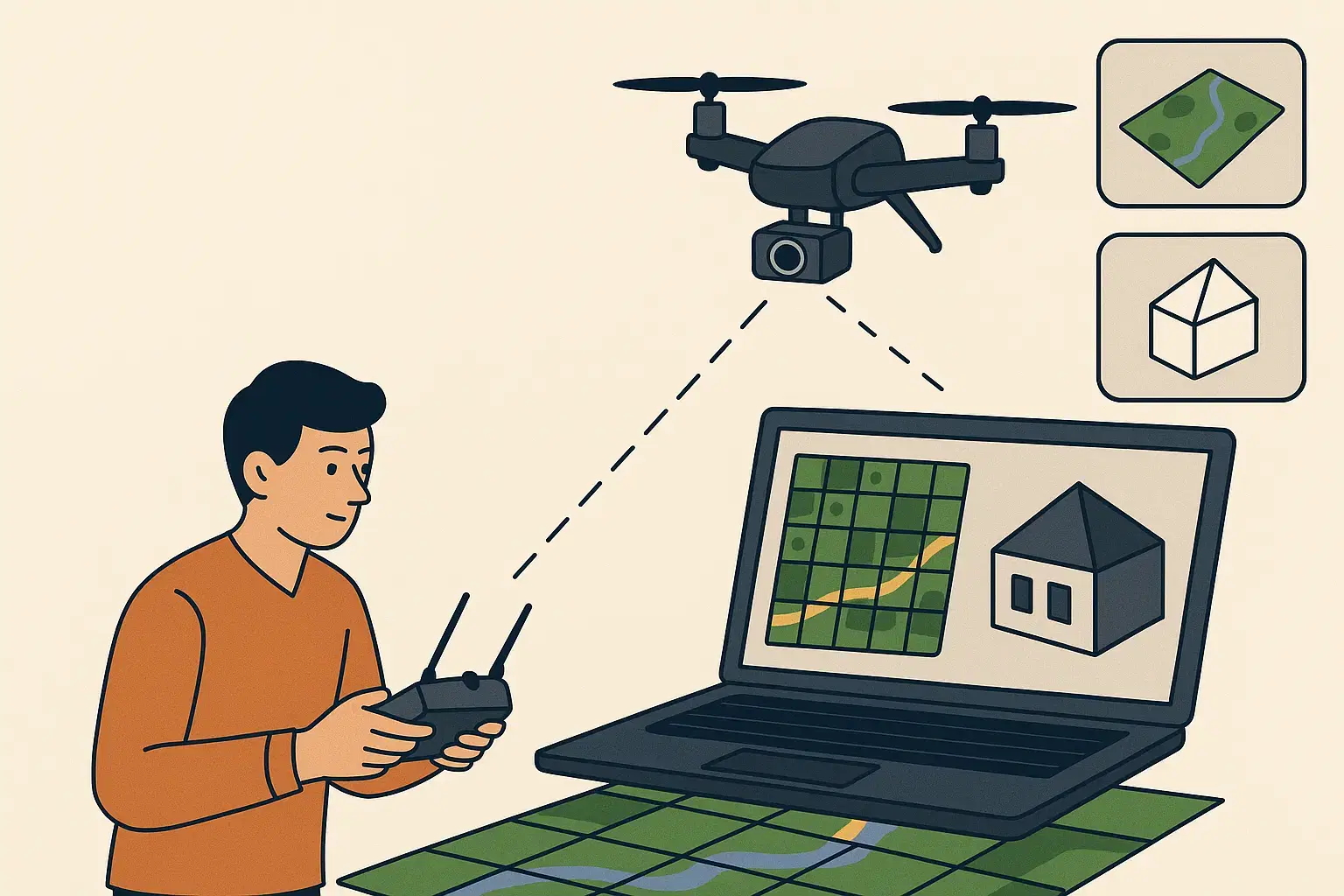
Beginner's Guide to Drone Mapping & Aerial Survey
How drone mapping and aerial survey works. Choosing a drone, capturing data, processing 3D models, and real applications in surveying and construction.
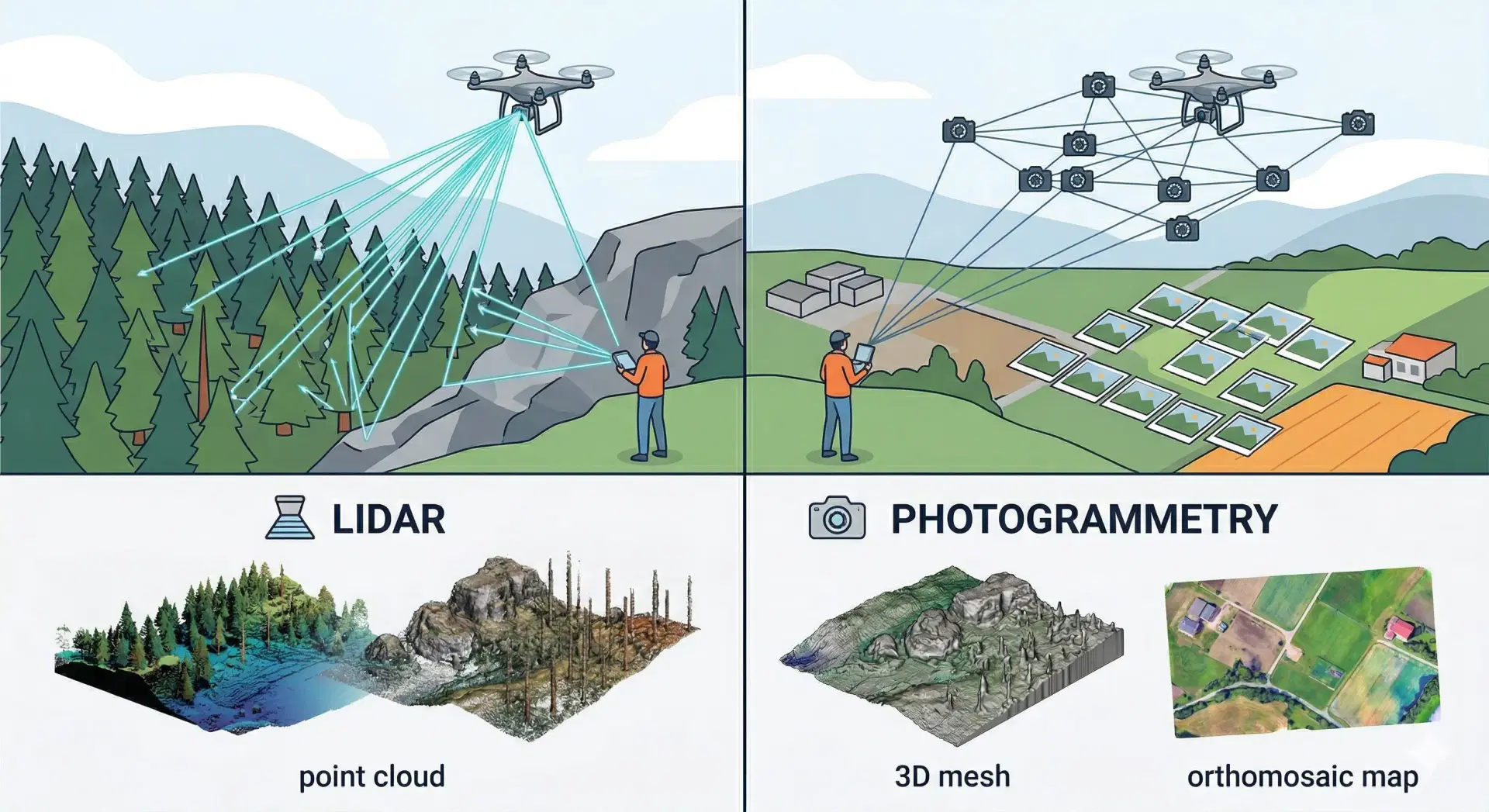
LiDAR vs Photogrammetry: Which is Better?
Compare LiDAR and photogrammetry for drone surveys. Accuracy, cost, terrain suitability, and use cases for construction, mining, and infrastructure mapping.
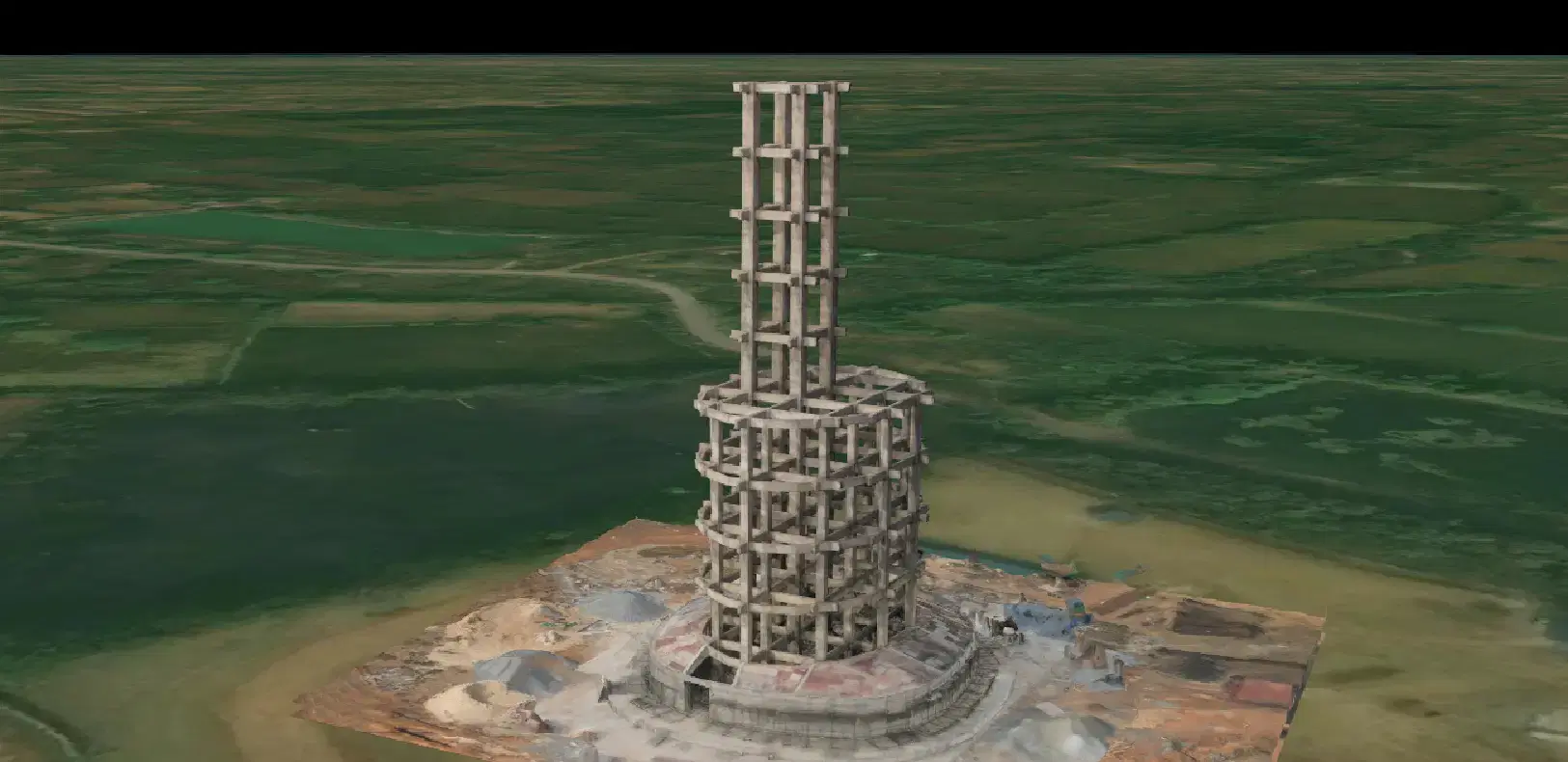
Drone 3D Mapping Case Study: Water Tank Bilaspur
How Travancore Aviations used drone photogrammetry to map an under-construction overhead water tank in Bilaspur. Accurate 3D model for construction planning.