
Everything related to the Aeroyantra cloud platform, browser tools, and commercial plans.
Explore specialized workflows for mining, construction, infrastructure, energy, and enterprise sectors.
Browse service lines by output type, project environment, and delivery requirement.
Read the material that supports evaluation, project planning, and field execution.
Drone Survey Software: See, Measure, Track,
Share
Four capability groups that take you from raw drone data to site decisions. Not a feature list, an intelligence workflow.
See Your Site
Explore every layer of your site. Orthomosaics, 3D models, point clouds, and elevation data, all directly in your browser. No downloads, no plugins, no waiting.
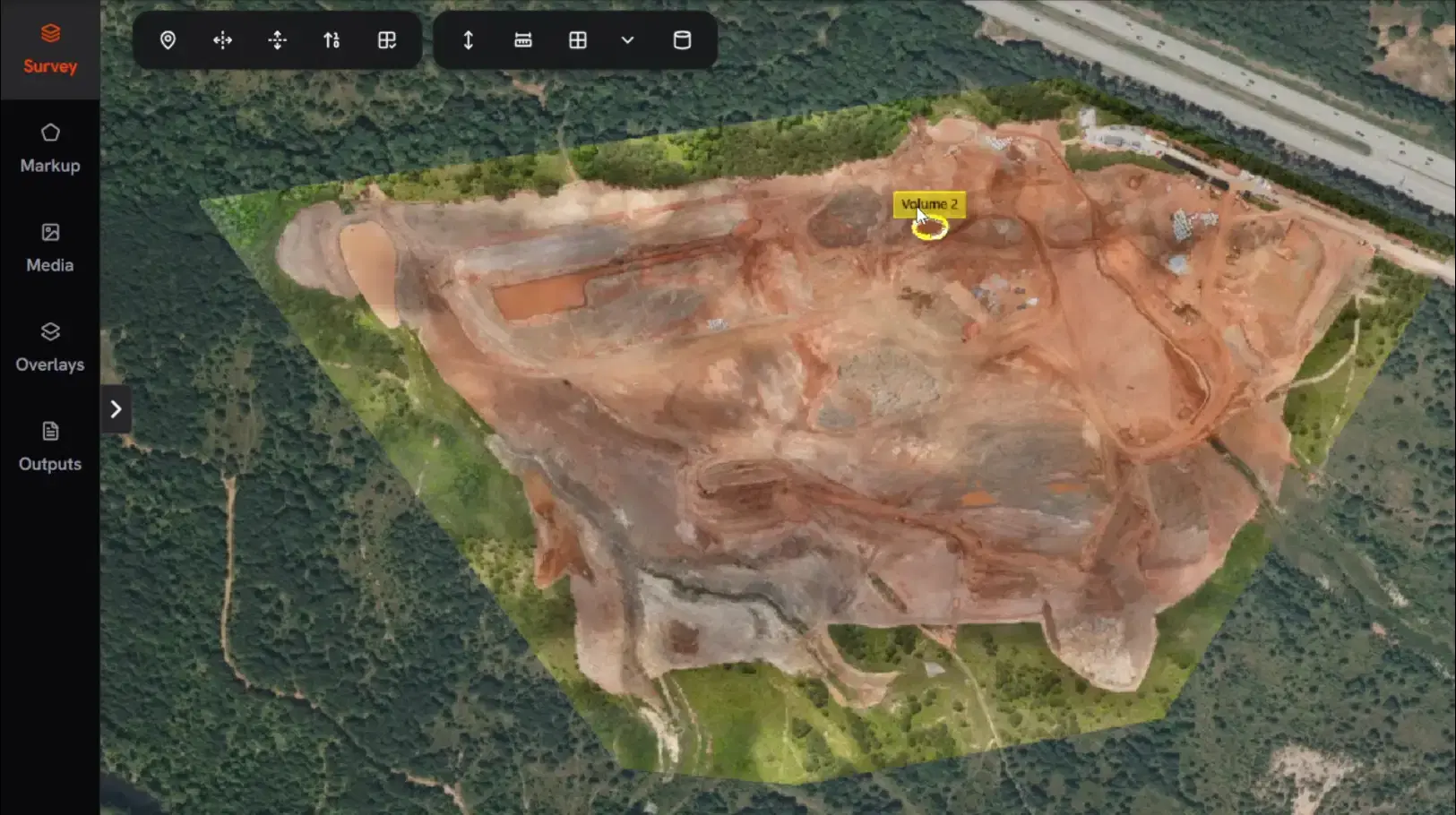
Orthomosaic Viewer
Navigate high-resolution 2D site maps with terrain context. Inspect any corner of your project without leaving the browser.
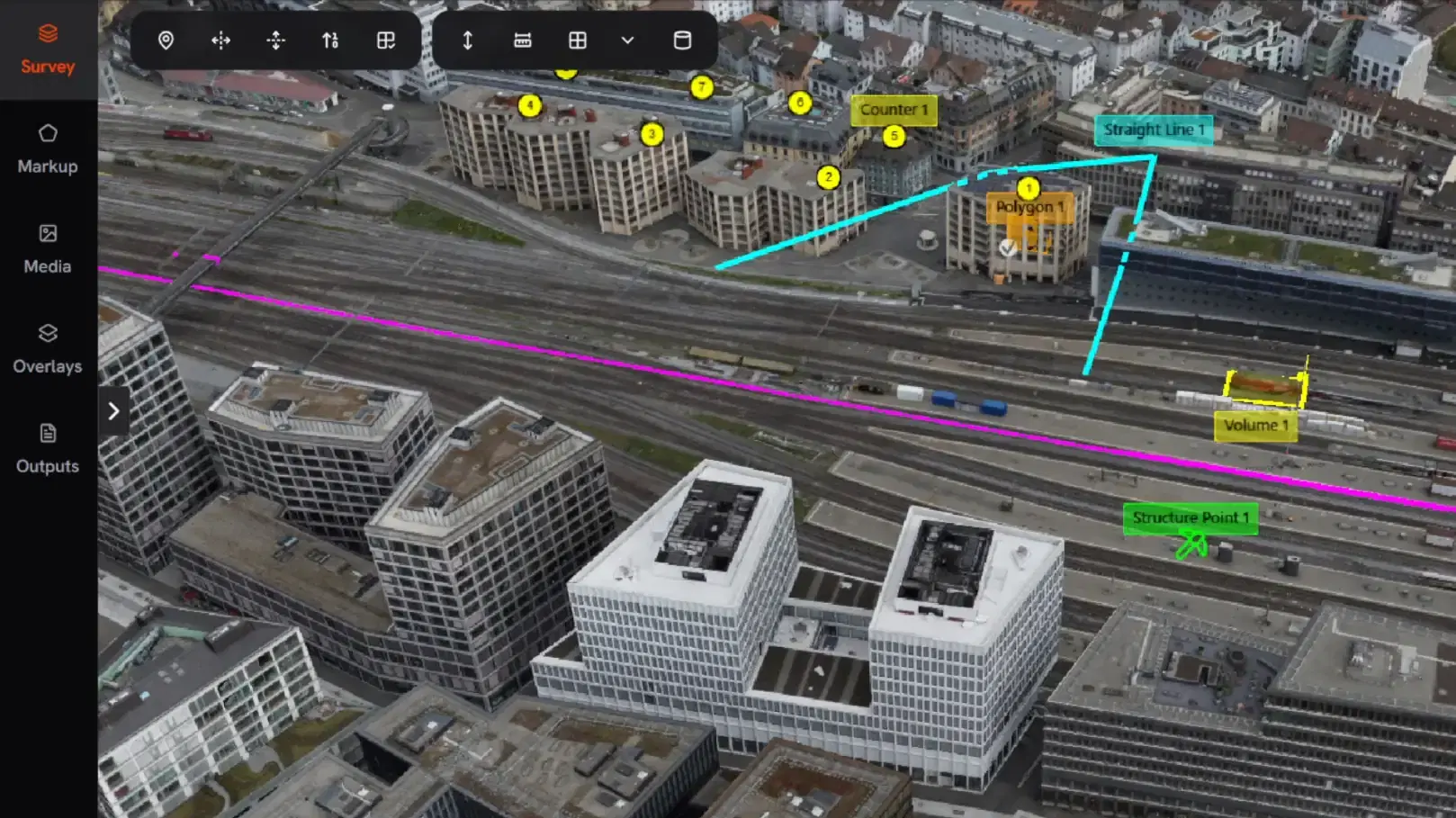
3D Textured Mesh
Walk through full 3D site reconstructions at any scale, from a single stockpile to an entire city digital twin.
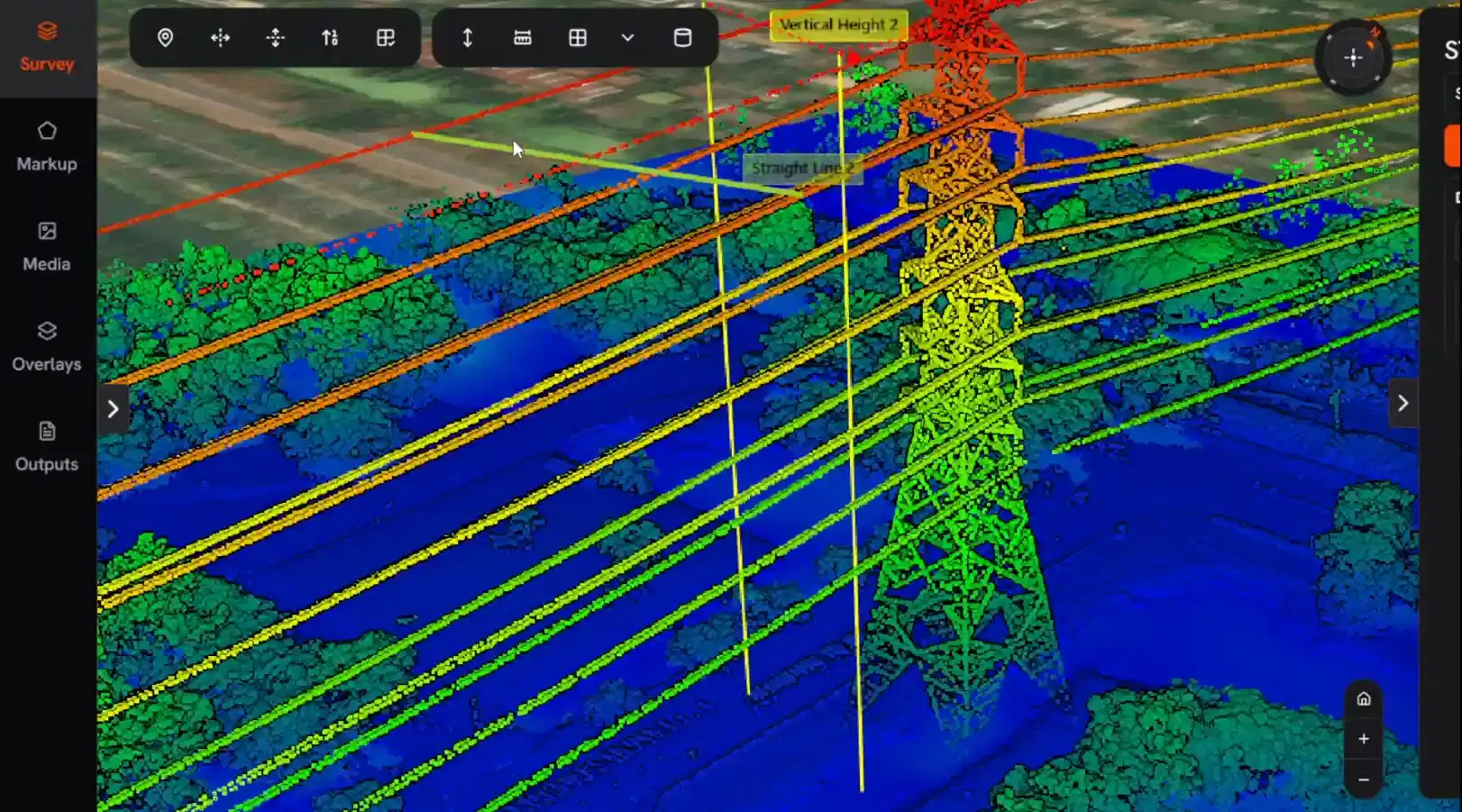
Dense Point Cloud
Inspect millions of survey points with RGB color and classification layers. The same data your surveyors rely on, accessible to everyone.
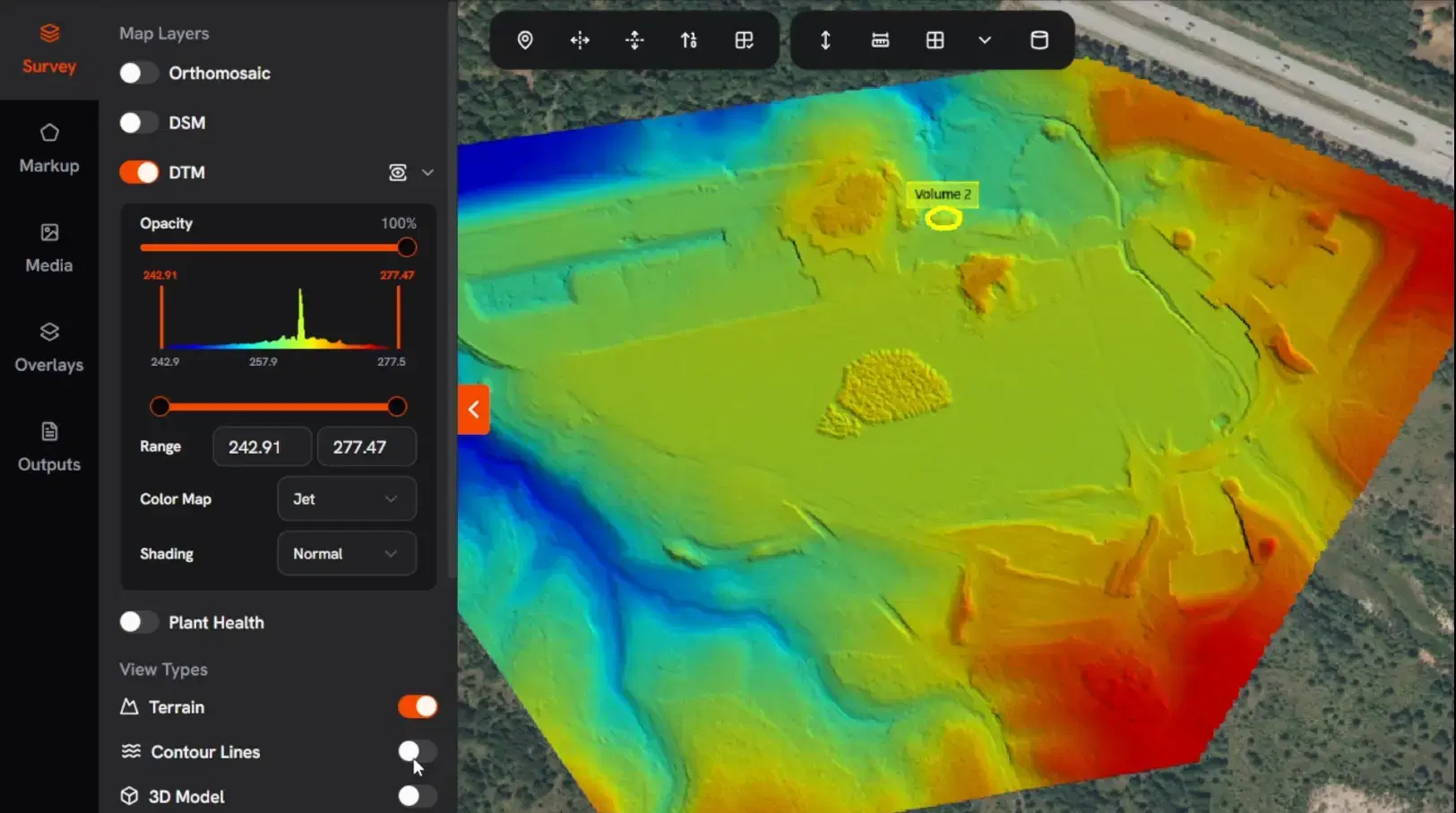
DEM Elevation View
Spot grading issues, drainage risks, and elevation anomalies instantly with color-coded terrain heatmaps.
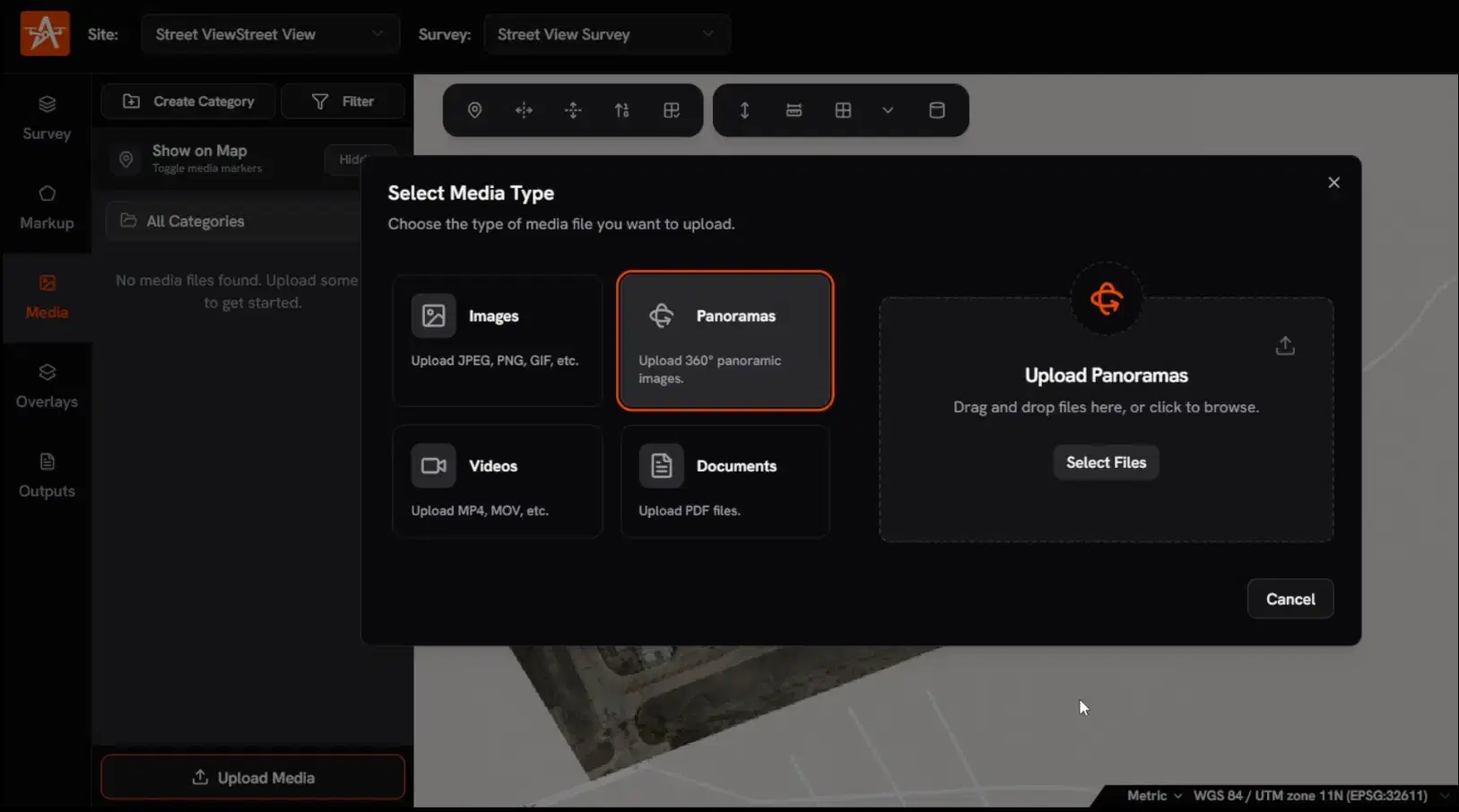
Site Media
Attach panoramas, geotagged photos, and site videos to your survey. Build a living visual record across every flight.
Measure & Analyze
Get the numbers that drive site decisions. Volumes, distances, cross-sections, and design deviations with survey-grade accuracy you can trust in reports.
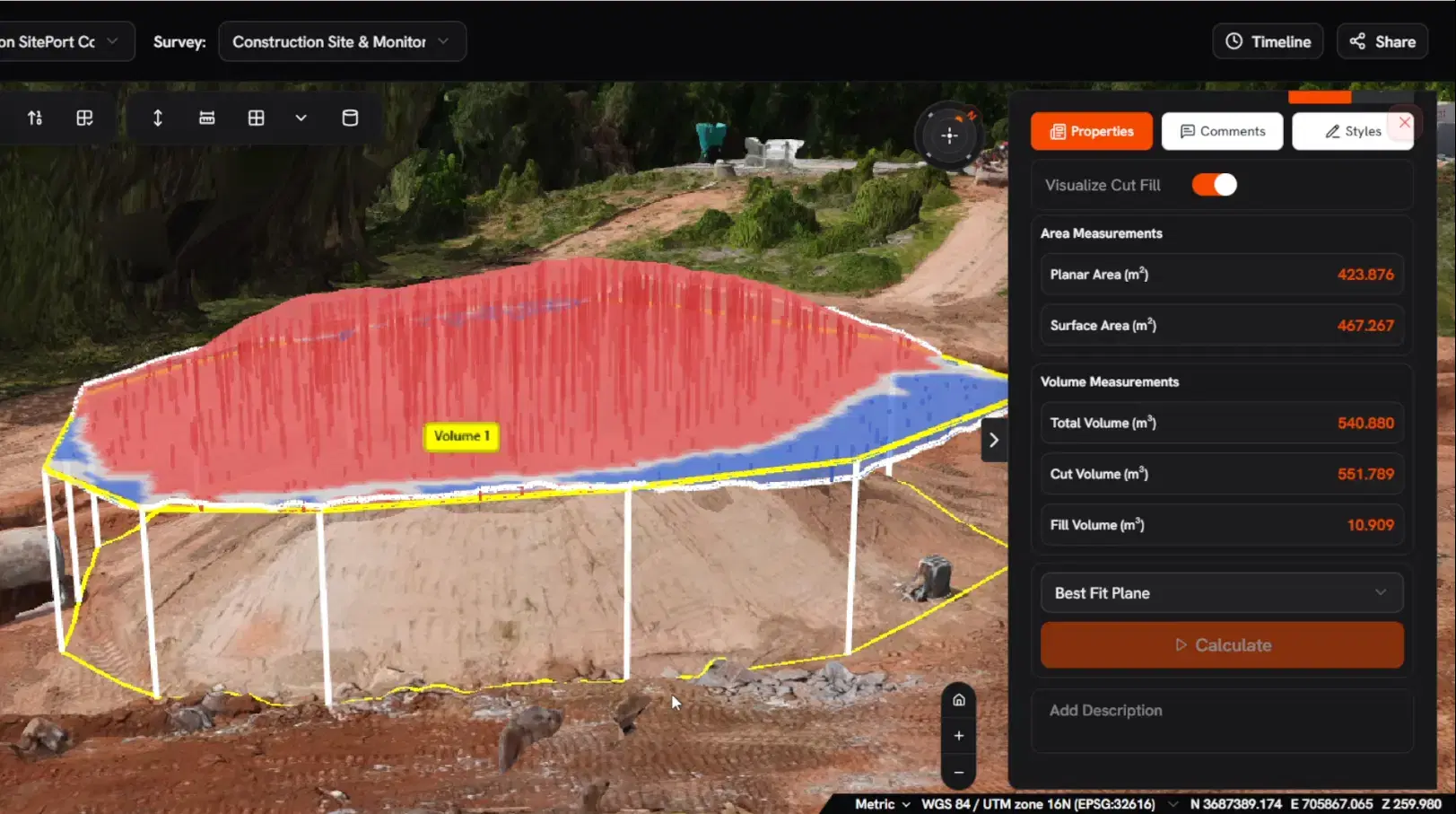
Volumetric Measurement
Calculate stockpile and cut/fill volumes within 1-2% accuracy. Same-day volume reports that replace manual ground surveys.

Measurement Tools
Point-to-point distance, area calculations, and elevation profiles. Every measurement is tied to survey-grade coordinates.
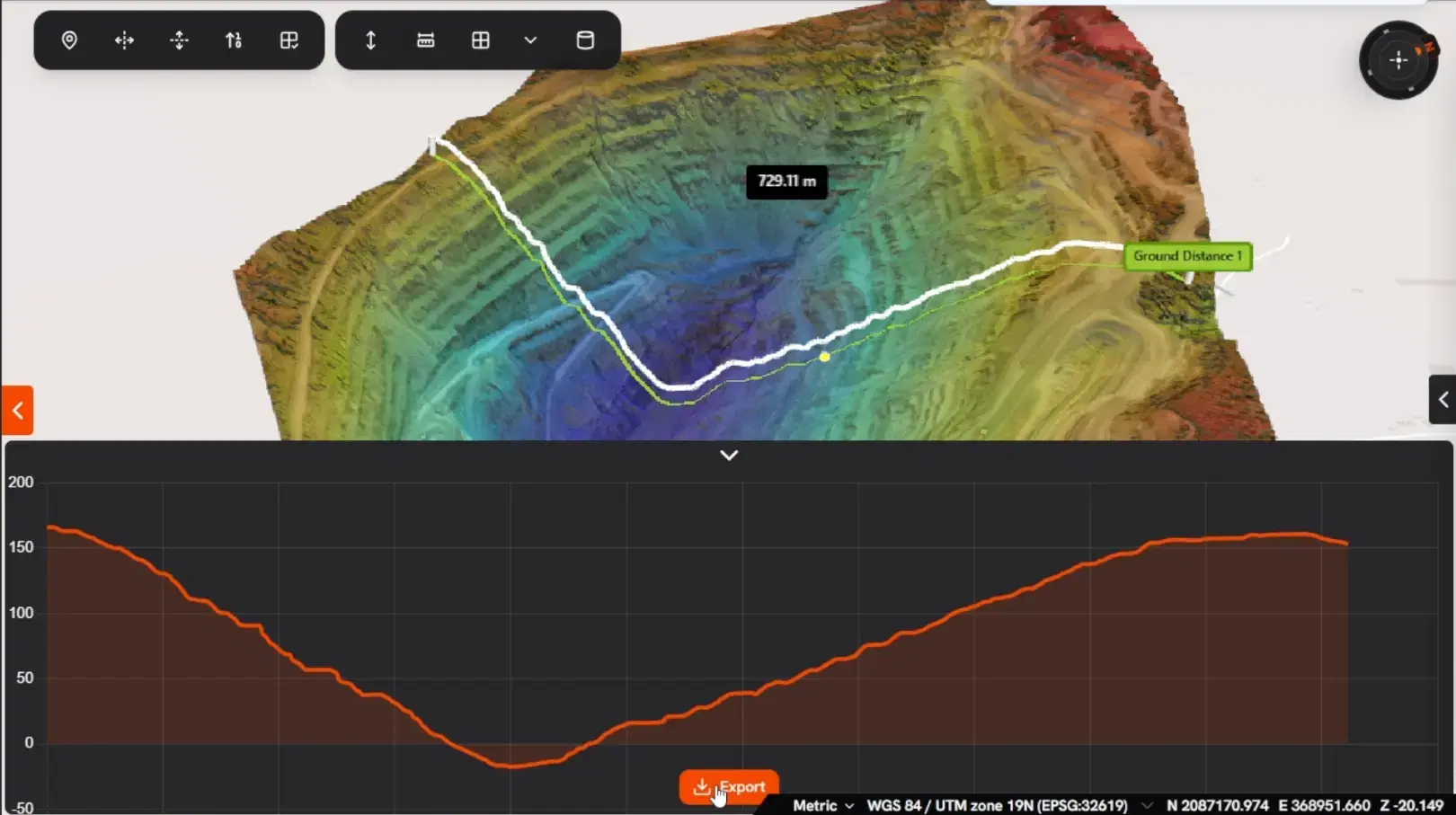
Cross-section Tool
Generate terrain profiles along any line. Verify slopes, check grading compliance, and identify surface deviations in seconds.
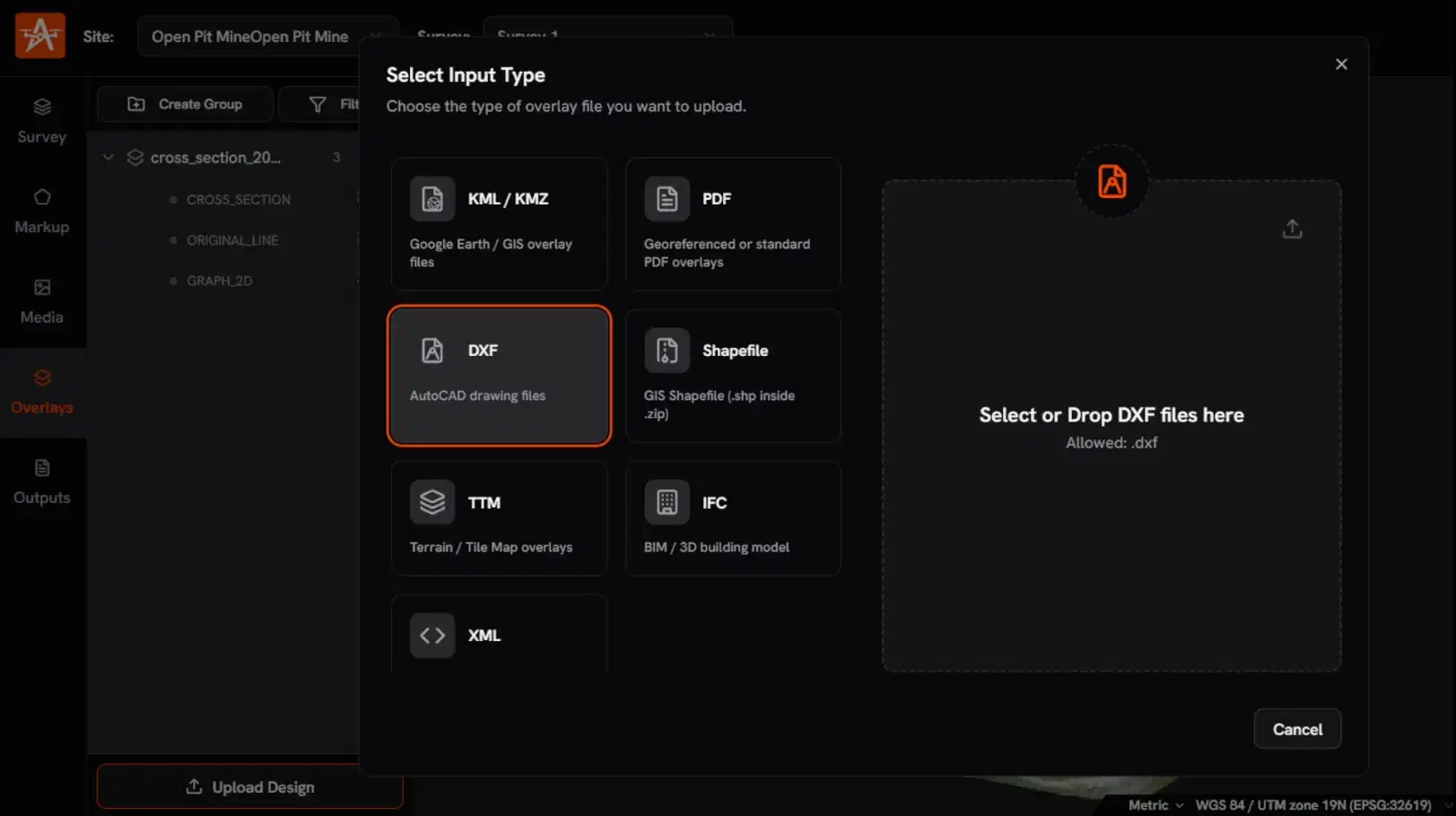
2D / 3D Design Overlay
Overlay DXF, SHP, KML, BIM, or PDF designs directly on your survey. See exactly where as-built deviates from design before it becomes a rework cost.
Track Changes Over Time
This is what separates a processing tool from a survey intelligence platform. Compare any two surveys side by side. See what moved, how much changed, and where problems are developing before they cost you.
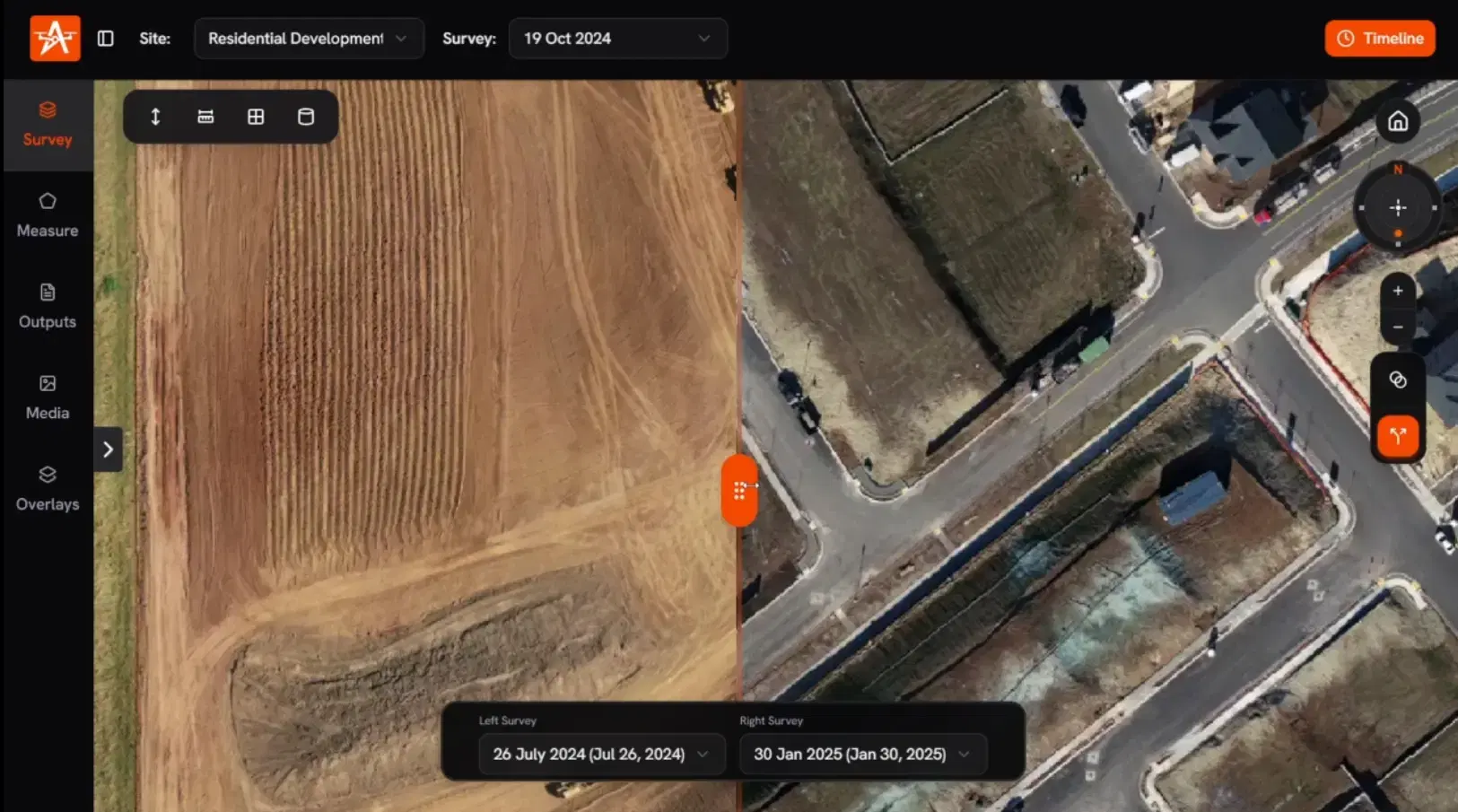
Multi-Date Comparison
Drag the timeline slider to compare any two survey dates. Detect volume changes between surveys, track earthwork progress visually, and catch unauthorized activity, all from the same view.
Share & Report
Survey intelligence is only valuable if the right people see it. Share interactive views with anyone, no login required, and export in every standard format your stakeholders expect.
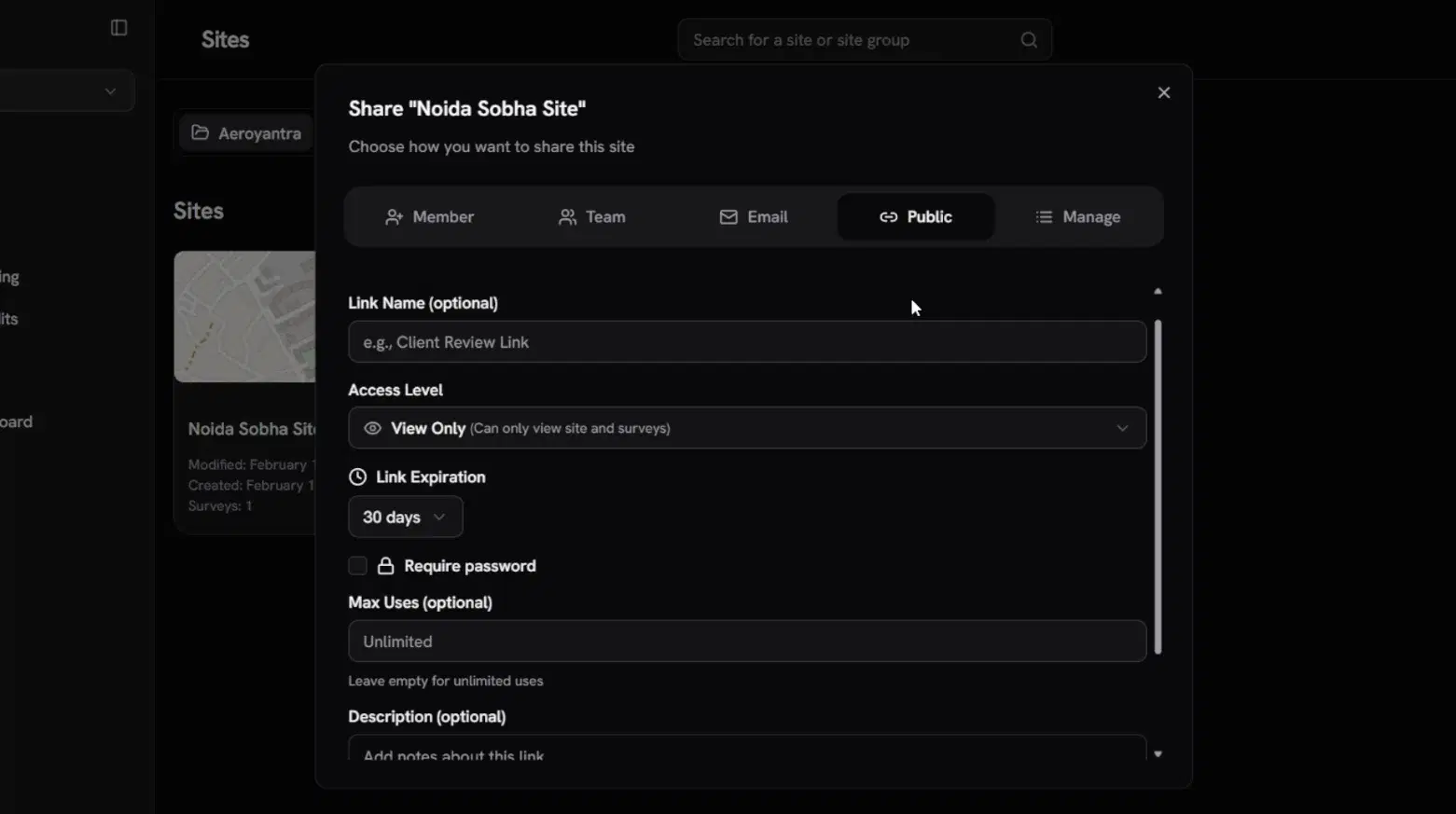
Share by Link
Send a view-only link to any stakeholder: clients, contractors, government officials. They see the full interactive survey without creating an account.
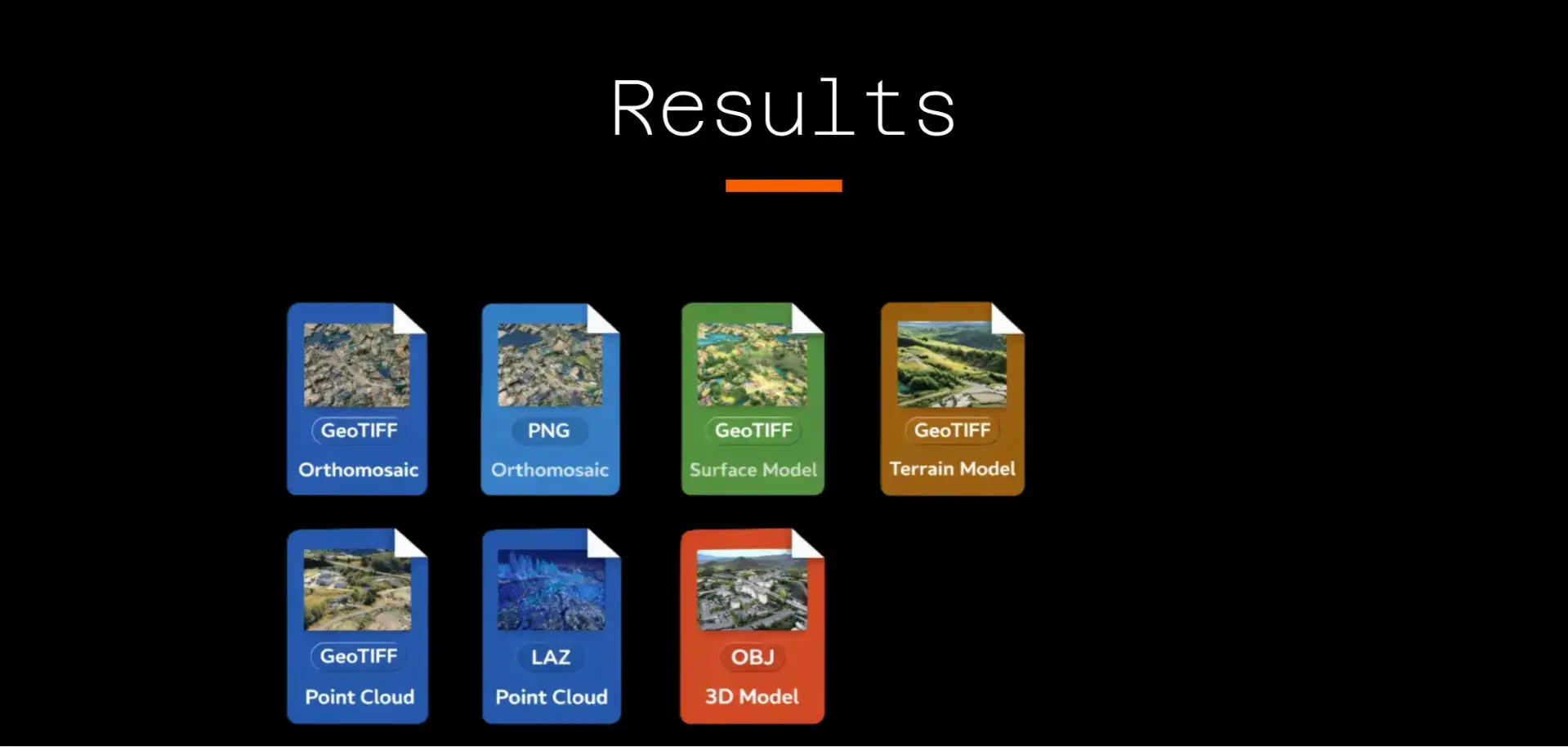
Export in Any Format
Download in DXF, CSV, LAS, PDF, SHP, or KML. Your data fits directly into AutoCAD, Civil 3D, QGIS, or any GIS/CAD workflow your team already uses.

Branded Handover Reports
Generate client-ready PDF reports with your branding, measurements, and annotations. Handover documentation that looks professional, produced in minutes, not days.
From inside the site, on the same timeline.
Walk the site with a 360 camera. Get outdoor paths and floor-by-floor walkthroughs, compare any two dates with a synced camera, and log findings, next to your drone data.
Outdoor 360 paths
A single continuous, Street-View-style path through the site, georeferenced and drawn on the same map as your drone survey.
Floor-by-floor indoors
One video per floor or level with its floor plan. The minimap shows where you are on the plan as you move.
Compare by date
Pick a past date. Aeroyantra finds the nearest frame on that day's route and mirrors your pan, tilt and zoom in both panes.
Findings with severity
Annotate any frame with a category, a Low-to-Critical severity and comments. Pins are colour-coded on the map or floor plan.
Findings export
Every finding across the site in one list: filter by severity or category and export to CSV for your own reports.
See your site with
survey-grade clarity.
Upload your first drone flight or 360 walk and see the outputs yourself. Free for 14 days, no card needed.